RPG Leveling And Stats/Skills
An RPG leveling plugin for Hytale that adds experience points, leveling, stat allocation, and character progression with a GUI, HUD, competitive leaderboard system, and full multi-language translation support.
About RPG Leveling And Stats/Skills
RPG Leveling Stats/Skills Plugin
A comprehensive RPG leveling system for Hytale that adds experience points, leveling, and stat allocation. Gain XP from mob kills, level up, earn stat points, and customize your character through an in-game GUI.
🚨 0.2.0-beta-1 — Complete Rework — BETA TESTING NEEDED
This is a complete rework of the entire game system. Almost everything has changed:
Monster-level XP — XP is now based on monster level (not max health). Higher-level monsters give more XP.
Level-difference multipliers — Fighting monsters near your level gives the best XP; much easier or harder content is heavily penalized.
Zones — 6 zones (Emerald Grove, Howling Sands, Borea, Devastated Lands, Skylands, Poisonlands) with different monster level ranges.
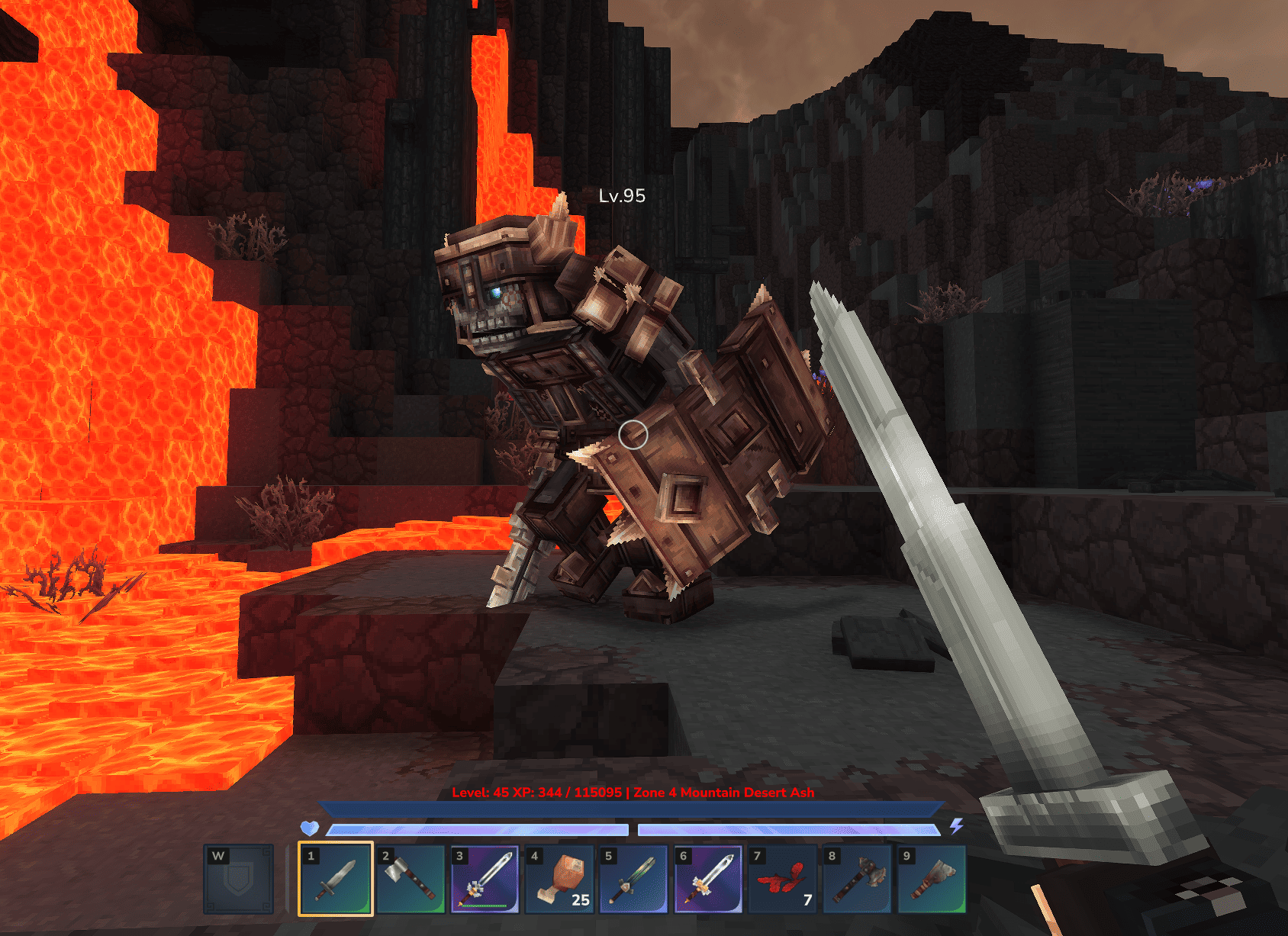
HUD zone display — HUD shows current zone name and color (green = good match, white = too easy, orange/red/purple = too hard).
Difficulty scaling — Monster damage and HP scale with level. Level-gap penalties when underleveled.
Difficulty presets — Easy, Normal, Hard, Extreme (configurable).
New config structure — Configuration split into 4 files in mods/Zuxaw_RPGLeveling/ folder.
Player nameplates — Shows player level when looking at other players.
PvP XP toggle — Option to enable/disable XP from player kills.
Entity blacklist — Blacklist specific entities from giving XP or showing level.
⚠️ IMPORTANT: Due to the new config structure, you will need to manually migrate your config values from the old location (mods/RPGLeveling/) to the new location (mods/Zuxaw_RPGLeveling/). Many configuration options have changed, so please review the documentation carefully.
🔴 I ABSOLUTELY NEED YOUR FEEDBACK!
This is a beta version and I need your help to make it stable. Please test this version thoroughly and share your feedback on Discord. Your feedback is essential for balancing, bug fixes, and improvements. Report any issues, suggestions, or concerns you have — everything helps!
📖 Full Documentation (0.2.0-beta-1) — Switch to 0.2.0-beta-1 in the version selector for beta docs.
Documentation
📖 Full documentation — Commands, configuration, formulas, translation, HUD fix, and more.
Before you ask — If you have a question, check the docs (or comments) first, or ask on Discord. 90% of the time the answer is already in the docs.
Overview
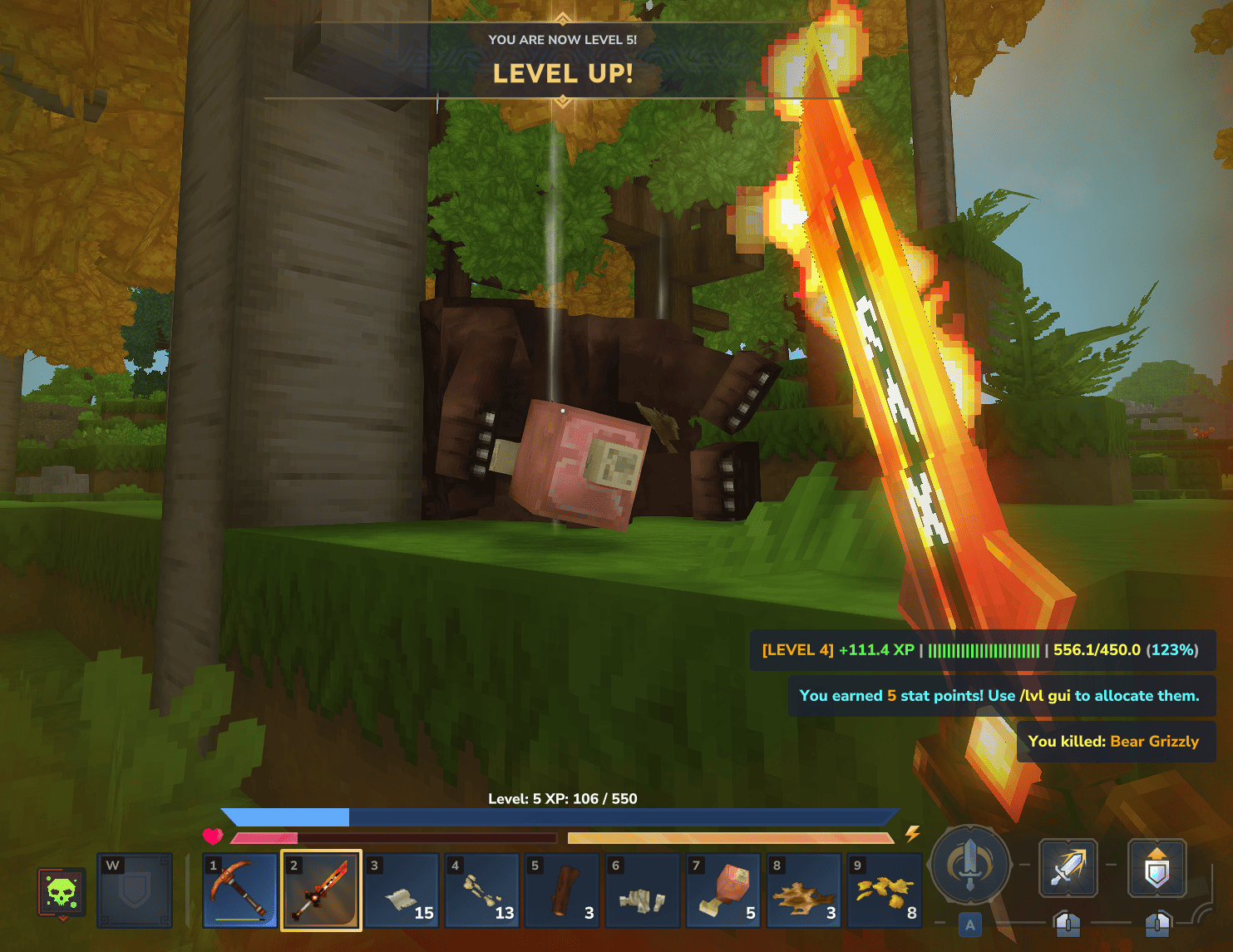
Experience & levels — Gain XP by defeating mobs; progress through levels (configurable max, default 100).
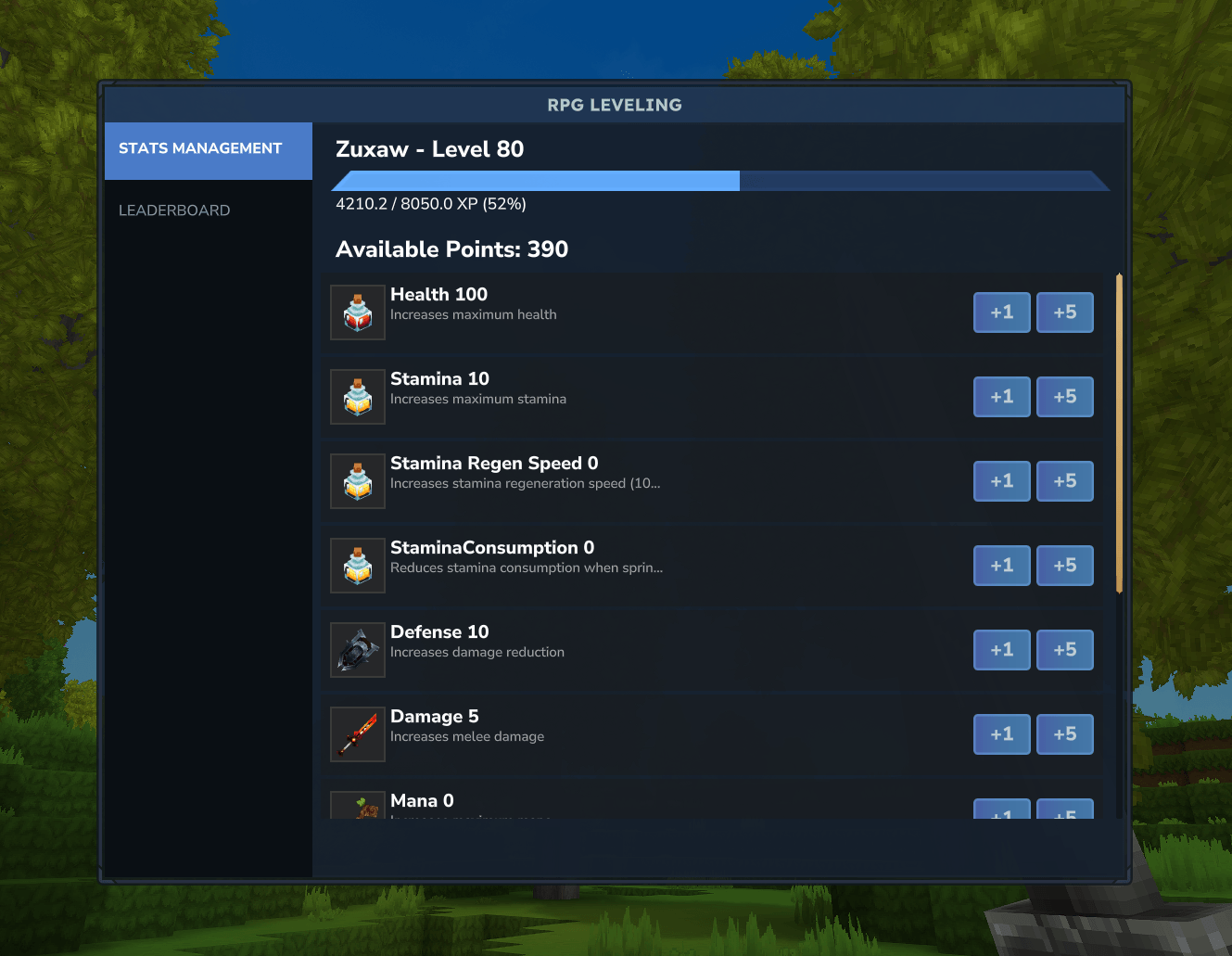
Stat points — Earn points on each level up and allocate them to stats (Health, Stamina, Mana, Damage, Mining, Woodcutting, Defense, and more).
HUD — Real-time level and XP progress bar with zone display.
GUI — Stats management, allocations, and leaderboard via /lvl gui.
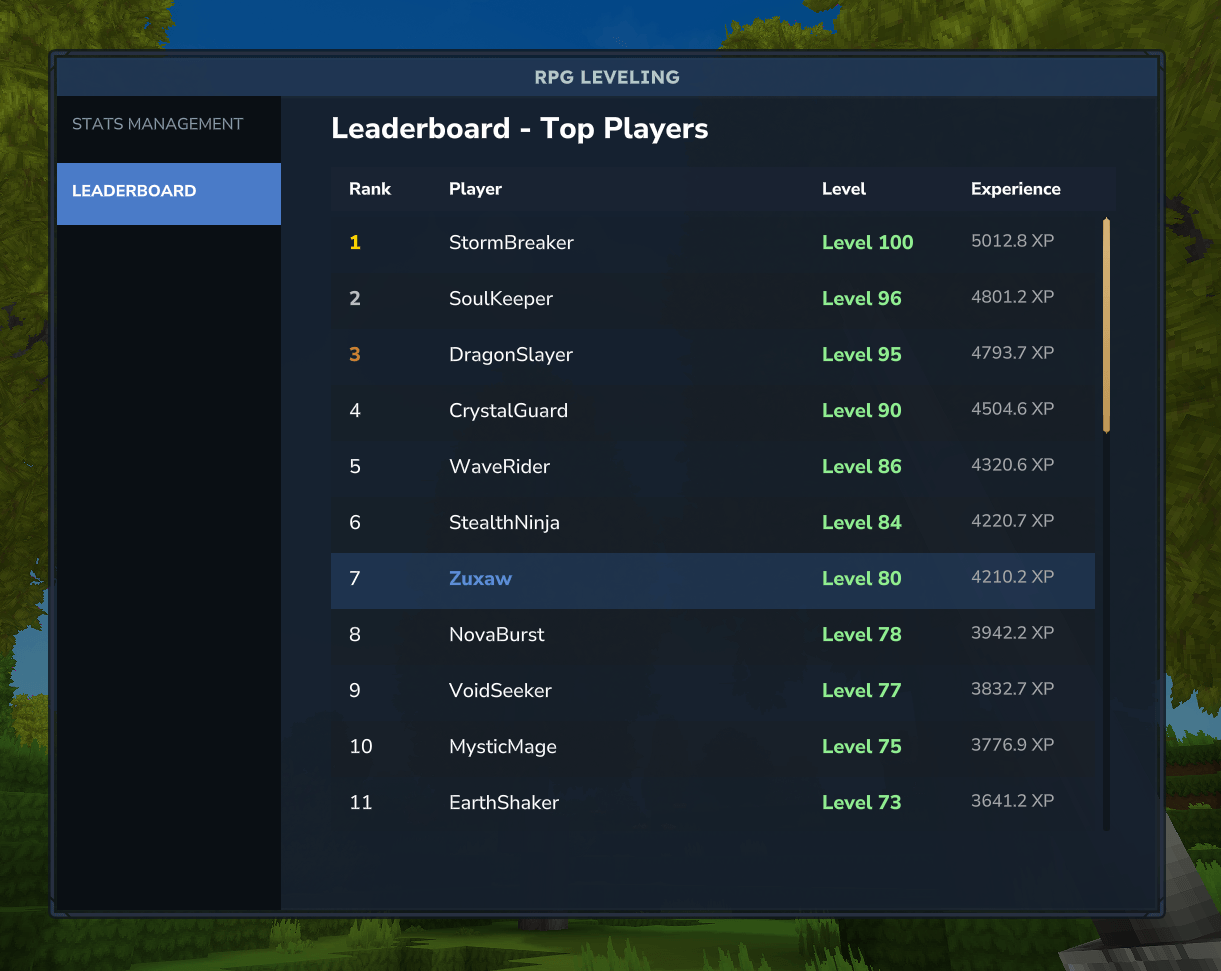
Leaderboard — Rankings by level and XP (top 100, including offline players).
Translation — Multi-language support via MessagesLanguageMapping.json.
Screenshots
Features
XP from mob kills, level progression, stat allocation, and permanent stat modifiers.
Optional death penalty (reset to level 1 on death; off by default).
HUD display and GUI with sidebar navigation.
Leaderboard with top-3 styling (Gold, Silver, Bronze).
Configurable progression, formulas, and stat caps.
Full localization support.
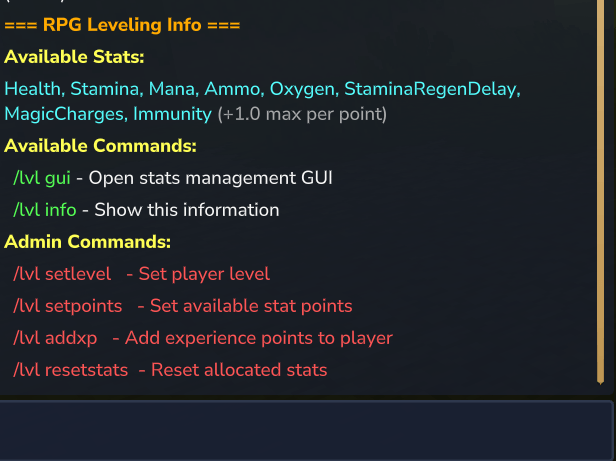
Stats you can upgrade: Health, Stamina, Mana, Ammo, Oxygen, Stamina Regen, Stamina Consumption, Damage, Mining, Woodcutting, Defense.
HUD crash fix
If you use other HUD mods, install MultipleHUD. If crashes persist, set EnableHUD: false in mods/Zuxaw_RPGLeveling/RPGLevelingConfig.json.
Dependencies
None required — runs standalone.
MultipleHUD (optional) — needed when using other HUD mods so the level HUD can show alongside them.
Commands
Command Description
/lvl gui Open stats management GUI
/lvl info Show stats, commands, and help
/lvl setlevel <player> <level> (Admin) Set player level
/lvl setpoints <player> <points> (Admin) Set available stat points
/lvl addxp <player> <xp> (Admin) Add XP to a player
/lvl resetstats <player> (Admin) Reset allocated stats
/lvl resetall (Admin) Reset level and stats for all players (online and offline)
Admin commands require OP.
Learn more
Docs — docs.rpg-leveling.zuxaw.com
RPG Leveling v0.2.0-beta-1 · Zuxaw
Categories
Screenshots
Need a Server?
Run RPG Leveling And Stats/Skills on a dedicated Hytale server with easy mod management.
Get Hytale HostingFrequently Asked Questions
What is RPG Leveling And Stats/Skills?
An RPG leveling plugin for Hytale that adds experience points, leveling, stat allocation, and character progression with a GUI, HUD, competitive leaderboard system, and full multi-language translation support.
How do I download RPG Leveling And Stats/Skills?
You can download RPG Leveling And Stats/Skills for free from CurseForge. Click the "Download on CurseForge" button on this page to go directly to the download page.
Who created RPG Leveling And Stats/Skills?
RPG Leveling And Stats/Skills was created by Zuxaw_dev. The mod has been downloaded 151.1K times.
Is RPG Leveling And Stats/Skills compatible with Hytale servers?
RPG Leveling And Stats/Skills is designed for Hytale and can be used on both single-player and multiplayer servers. Check the mod page on CurseForge for specific compatibility information.
How do I install RPG Leveling And Stats/Skills?
To install RPG Leveling And Stats/Skills: 1) Download the mod from CurseForge, 2) Place the file in your Hytale mods folder, 3) Restart the game. The mod should load automatically.
Related Gameplay Mods
View all mods
Wan's Wonder Weapons
WanMine
A collection of unique weapons for Hytale, new "relics" blending elemental power, dark magic, and a touch of absurdity!

Perfect Parries
narwhals
Adds a souls-like/RPG combat mechanic where if you block at the instant where you are supposed to take damage, you don't lose stamina, deflect some damage, and stun the attacker. This mod includes a stamina system similar to that of souls/RPG games.

Spellbook
DarkhaxDev
Powering your favorite mods with clean, reusable helpers and utilities.

Lucky Mining
Buuz135
Get more ores from mining, the more you mine in a row, the more ores you get.

MMO Skill Tree
ziggfreed
(Multiple Languages) MMO Skill Tree adds an RPG-style progression system where every action you take helps you grow stronger.
Miners Helmet
Jaredlll08
Adds a helmet that provides a light source around the player