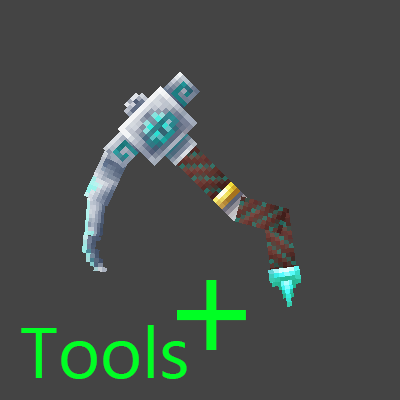
Tools Plus
Adds Tools with better durability. Soon with custom recipes and totally new Tools!
About Tools Plus
Thanks for downloading! Please note that this mod is still work in progress and is not yet fully balanced.
Tools+ is designed to stay vanilla-friendly, adding tools with improved durability rather than completely changing gameplay.
All tools come with custom textures and custom models.
Currently missing / planned features: – Runestones used for crafting (how, when, and where they are obtained has not yet been decided)
Currently available Tools:
Runic Copper Hatchet > 250 Durability (Vanilla > 200)
Runic Iron Hatchet > 400 Durability (Vanilla > 250)
Runic Thorium Hatchet > 350 Durability (Vanilla > 450)
Runic Cobalt Hatchet > 600 Durability (Vanilla > 300)
Runic Adamantite Hatchet > 700 Durability (Vanilla > 400)
Runic Mithril Hatchet > 800 Durability (Vanilla > 400)
Runic Copper Pickaxe > 250 Durability (Vanilla > 200)
Runic Iron Pickaxe > 350 Durability (Vanilla > 250)
Runic Thorium Pickaxe > 450 Durability (Vanilla > 350)
Runic Cobalt Pickaxe > 600 Durability (Vanilla > 300)
Runic Adamantite Pickaxe > 700 Durability (Vanilla > 400)
Runic Mithril Pickaxe > 800 Durability (Vanilla > 400)
Again: Stats are not final yet and will be tweaked!
Any feedback is greatly appreciated!
Categories
Need a Server?
Run Tools Plus on a dedicated Hytale server with easy mod management.
Get Hytale HostingFrequently Asked Questions
What is Tools Plus?
Adds Tools with better durability. Soon with custom recipes and totally new Tools!
How do I download Tools Plus?
You can download Tools Plus for free from CurseForge. Click the "Download on CurseForge" button on this page to go directly to the download page.
Who created Tools Plus?
Tools Plus was created by Keany. The mod has been downloaded 187 times.
Is Tools Plus compatible with Hytale servers?
Tools Plus is designed for Hytale and can be used on both single-player and multiplayer servers. Check the mod page on CurseForge for specific compatibility information.
How do I install Tools Plus?
To install Tools Plus: 1) Download the mod from CurseForge, 2) Place the file in your Hytale mods folder, 3) Restart the game. The mod should load automatically.
Related Utility Mods
View all mods
BetterMap
Paralaxe
Enhance Hytale World Map

Hybrid
Serilum
🏛️ A Hytale mod library that contains common code for all of Serilum's mods.

VeinMining
EineNT
Instantly mine connected ores and blocks by holding the Walk key (LEFT ALT) while breaking a single block.

Wayback Charm
DarkhaxDev
A charm to help you find your way back home.

Better Modlist
Buuz135
Adds a better modlist to the game, with improved features like searching and logos.

Simple Claims
Buuz135
Adds a chunk claim and protection system.