Full Ukrainian Translation - Harmoniya
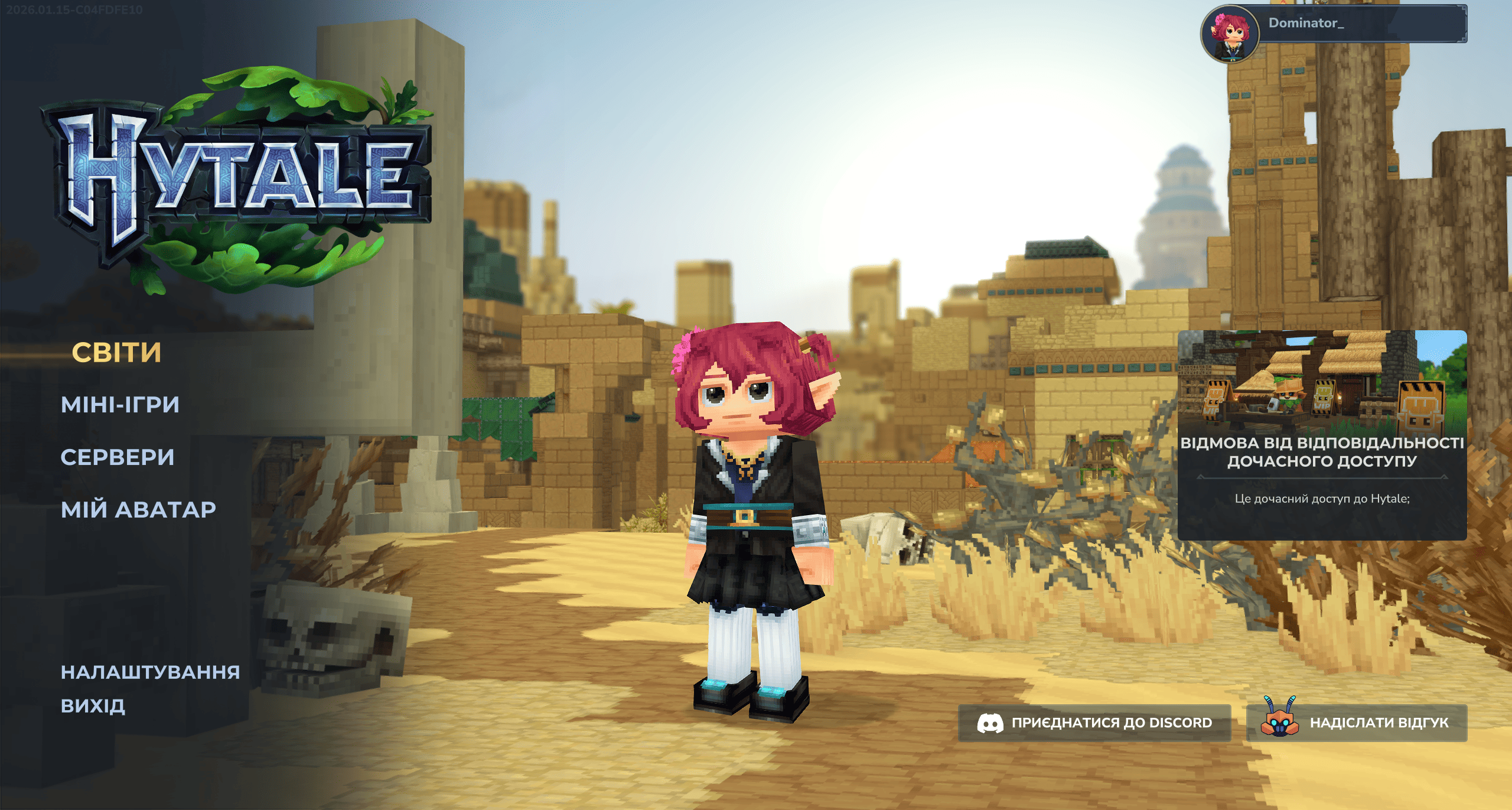
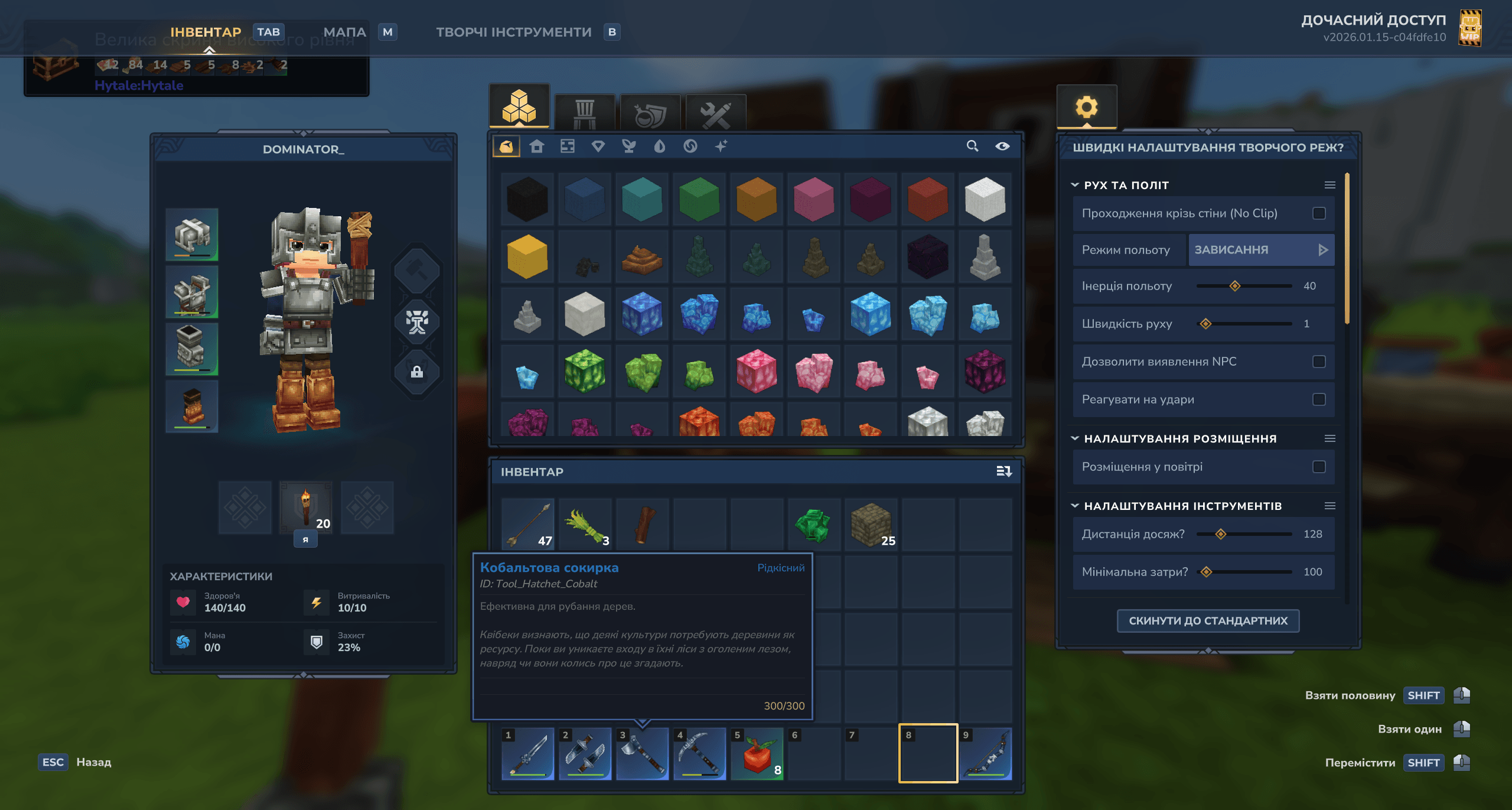
UA: Повна українська локалізація для Hytale. EN: Full Ukrainian localization for Hytale.
About Full Ukrainian Translation - Harmoniya
English
🛠️ Installation
Guide here https://hytale.harmoniya.net/translation
Alternative guide
1. To install the game files, go to the game’s root folder. If you don’t know where it is, open the launcher > Settings (gear icon) > “Open Directory”. 2. Once you’re in the root folder, open the downloaded .zip file and drag the “install” folder into Hytale’s root folder. 3. Select “Replace all” (or “Replace the files in the destination”) when prompted. 4. In-game, go to Settings and choose Ukrainian as the language.
You’re all set and ready to play.
🚨 Important
CurseForge Users
If you downloaded the mod via CurseForge, delete the .zip file from the mods folder after installation, as it may prevent your world from loading.
Game Updates
Before updating the game, move the install folder from fontsBackup to the game's root folder. After the update is complete, reinstall the translation files manually.
⚠️ Warning
This translation is stable but is a work in progress: you may find untranslated lines or expressions that could be improved. It will be refined and expanded in future updates.
⚙️ Community
Contact the Maintainer Discord Translation Community Website https://hytale.harmoniya.net
Українська
🛠️ Встановлення
Гайд тут https://hytale.harmoniya.net/translation
Альтернативний гайд
1. Щоб встановити файли гри, перейдіть до кореневої папки гри. Якщо ви не знаєте, де вона, відкрийте лаунчер > Settings (іконка шестерні) > “Open Directory”. 2. Опинившись у кореневій папці, відкрийте завантажений .zip архів та перетягніть папку "install" у кореневу папку гри. 3. Оберіть "Замінити все" (або "Замінити файли в папці призначення"), коли з'явиться відповідний запит. 4. У грі перейдіть до Налаштувань та оберіть Українську мову.
Тепер все налаштовано і готово до гри!
🚨 Важливо
Користувачі CurseForge
Якщо ви завантажили мод через CurseForge, видаліть файл .zip із папки mods після встановлення, оскільки це може завадити завантаженню вашого світу.
Оновлення гри
Перед оновленням гри перемістіть папку install із fontsBackup до кореневої папки гри. Після завершення оновлення перевстановіть файли перекладу вручну.
⚠️ Увага
Цей переклад є стабільним, але все ще перебуває в розробці: ви можете натрапити на неперекладені рядки або вирази, які потребують вдосконалення. Переклад буде покращуватися та доповнюватися в майбутніх оновленнях.
⚙️ Спільнота
Зв'язок із відповідальним в спільноті Discord Сайт спільноти перекладів https://hytale.harmoniya.net
Categories
Screenshots
Need a Server?
Run Full Ukrainian Translation - Harmoniya on a dedicated Hytale server with easy mod management.
Get Hytale HostingFrequently Asked Questions
What is Full Ukrainian Translation - Harmoniya?
UA: Повна українська локалізація для Hytale. EN: Full Ukrainian localization for Hytale.
How do I download Full Ukrainian Translation - Harmoniya?
You can download Full Ukrainian Translation - Harmoniya for free from CurseForge. Click the "Download on CurseForge" button on this page to go directly to the download page.
Who created Full Ukrainian Translation - Harmoniya?
Full Ukrainian Translation - Harmoniya was created by Dominator_ua. The mod has been downloaded 496 times.
Is Full Ukrainian Translation - Harmoniya compatible with Hytale servers?
Full Ukrainian Translation - Harmoniya is designed for Hytale and can be used on both single-player and multiplayer servers. Check the mod page on CurseForge for specific compatibility information.
How do I install Full Ukrainian Translation - Harmoniya?
To install Full Ukrainian Translation - Harmoniya: 1) Download the mod from CurseForge, 2) Place the file in your Hytale mods folder, 3) Restart the game. The mod should load automatically.
Related Utility Mods
View all mods
BetterMap
Paralaxe
Enhance Hytale World Map

Hybrid
Serilum
🏛️ A Hytale mod library that contains common code for all of Serilum's mods.

VeinMining
EineNT
Instantly mine connected ores and blocks by holding the Walk key (LEFT ALT) while breaking a single block.

Wayback Charm
DarkhaxDev
A charm to help you find your way back home.

Better Modlist
Buuz135
Adds a better modlist to the game, with improved features like searching and logos.

Simple Claims
Buuz135
Adds a chunk claim and protection system.