Unified Workbench
Tired of running between half a dozen different crafting stations to finish one project? This Unified Workbench should be the right tool for you!
About Unified Workbench
Unified Workbench
A master crafting station for Hytale that combines all specialized workbenches into one convenient interface.
Overview
The Unified Workbench mod simplifies your crafting experience by consolidating recipes from various specialized benches into a single station. No more running between different benches to craft your gear, food, or tools!
Key Features
Centralized Crafting: Access all recipes from a single Unified Workbench.
Automatic Recipe Injection: Automatically pulls recipes from: Weapon & Armor Benches
Alchemy & Cooking Benches
Loom, Tannery, and Armory
Furnace and Builders Bench
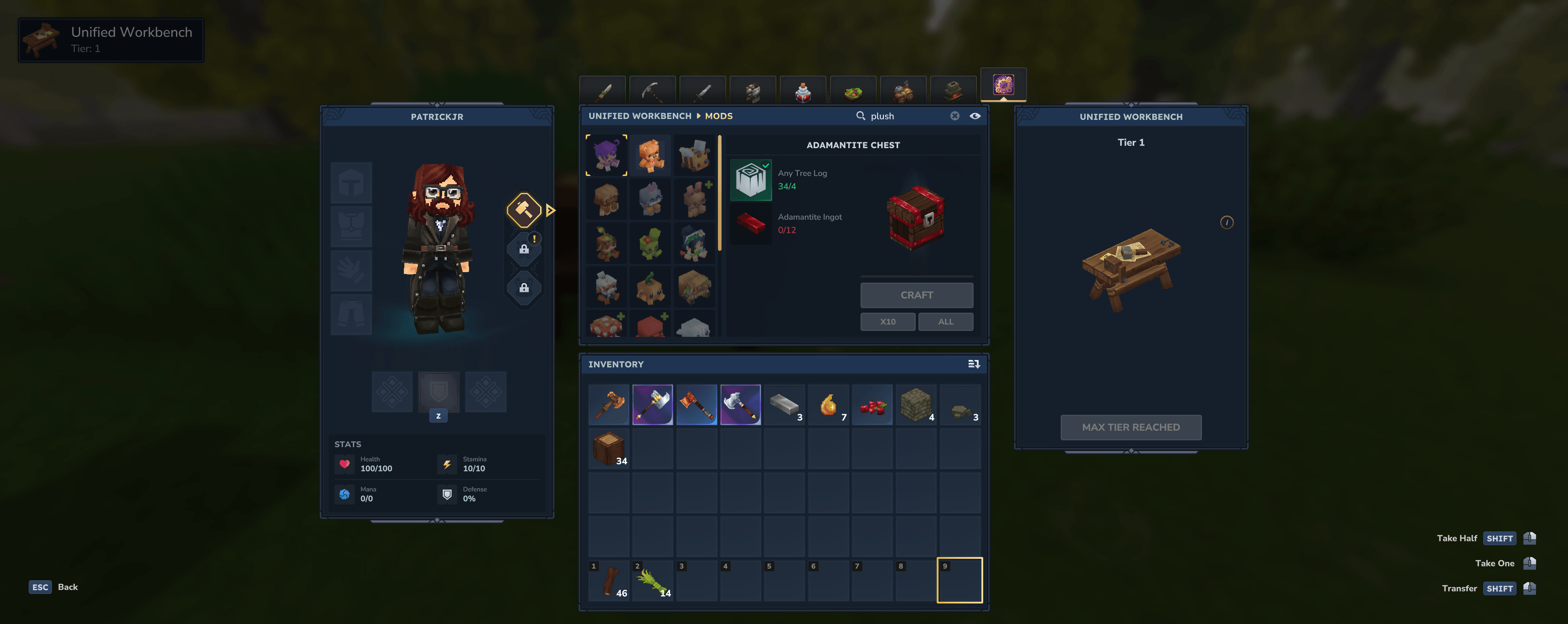
Chest Linking: Link with adjacent chests to craft using materials directly from storage.
Tier System Support: Full compatibility with Hytale's tier system (Level 2+ workbench recipes work correctly).
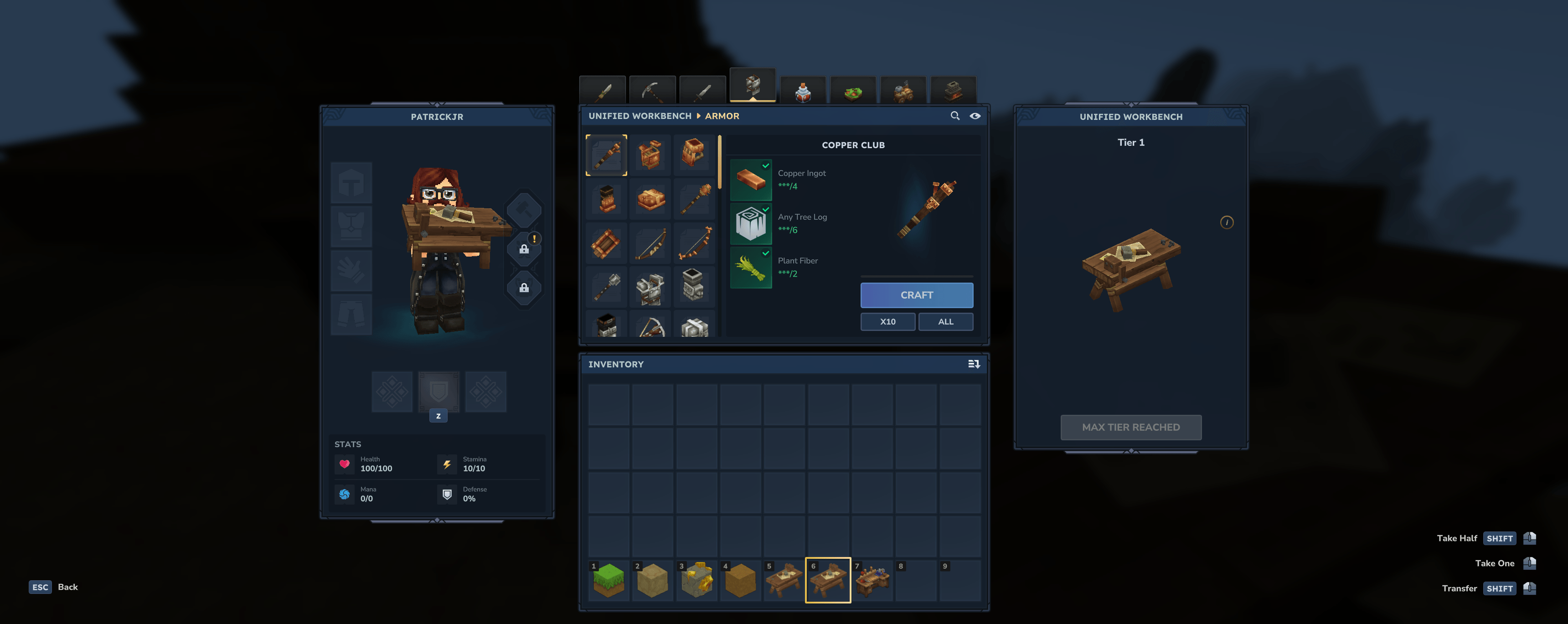
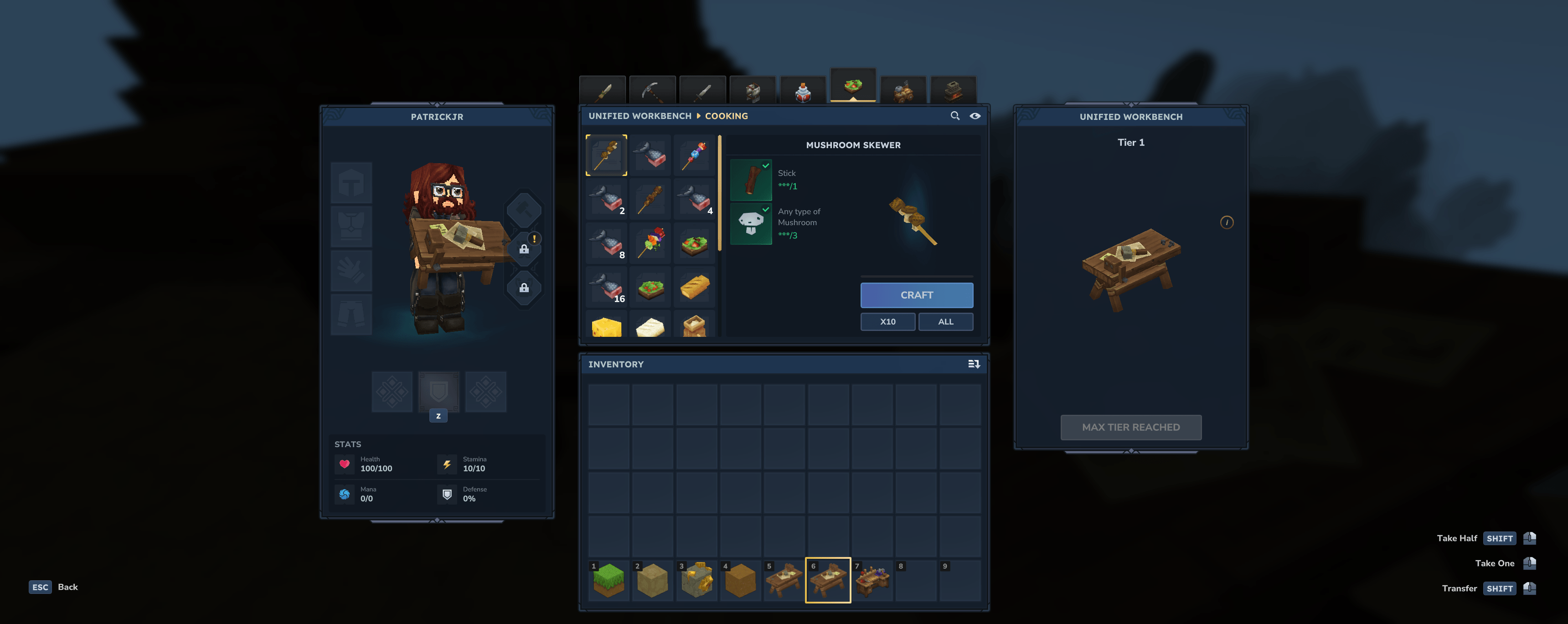
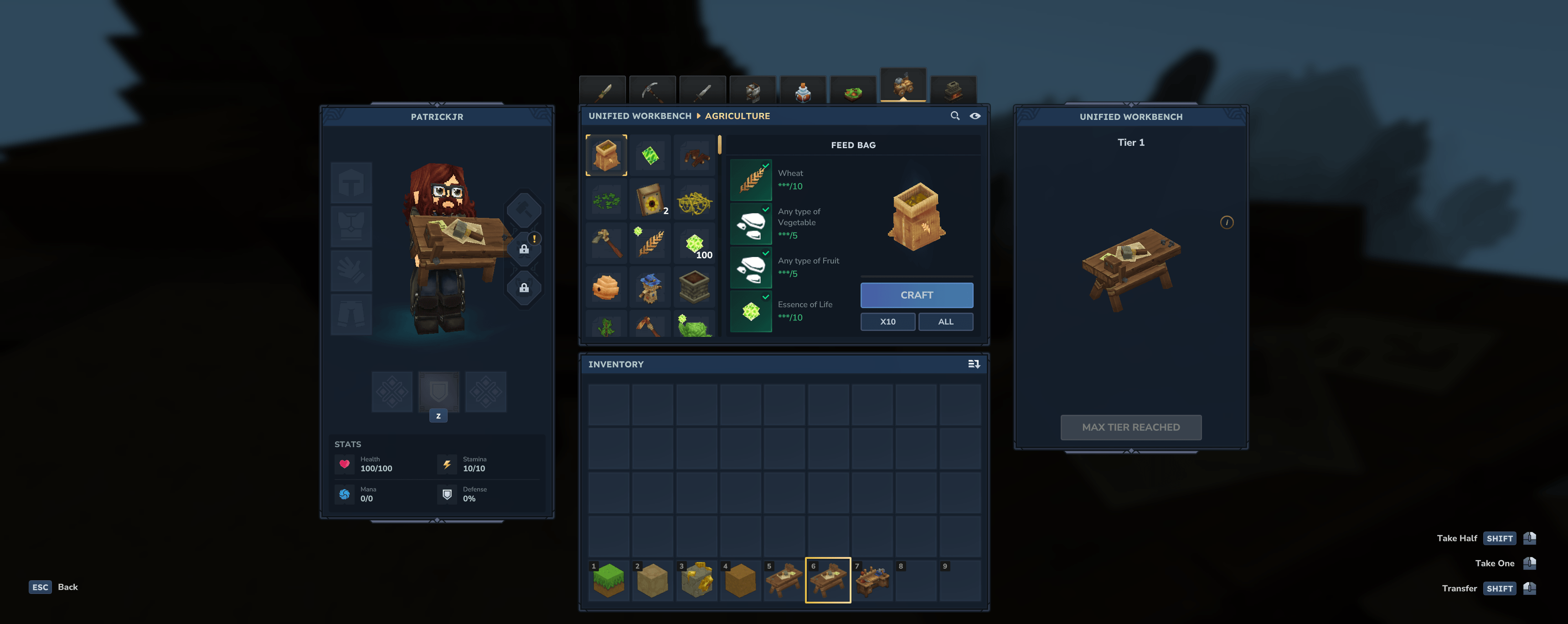
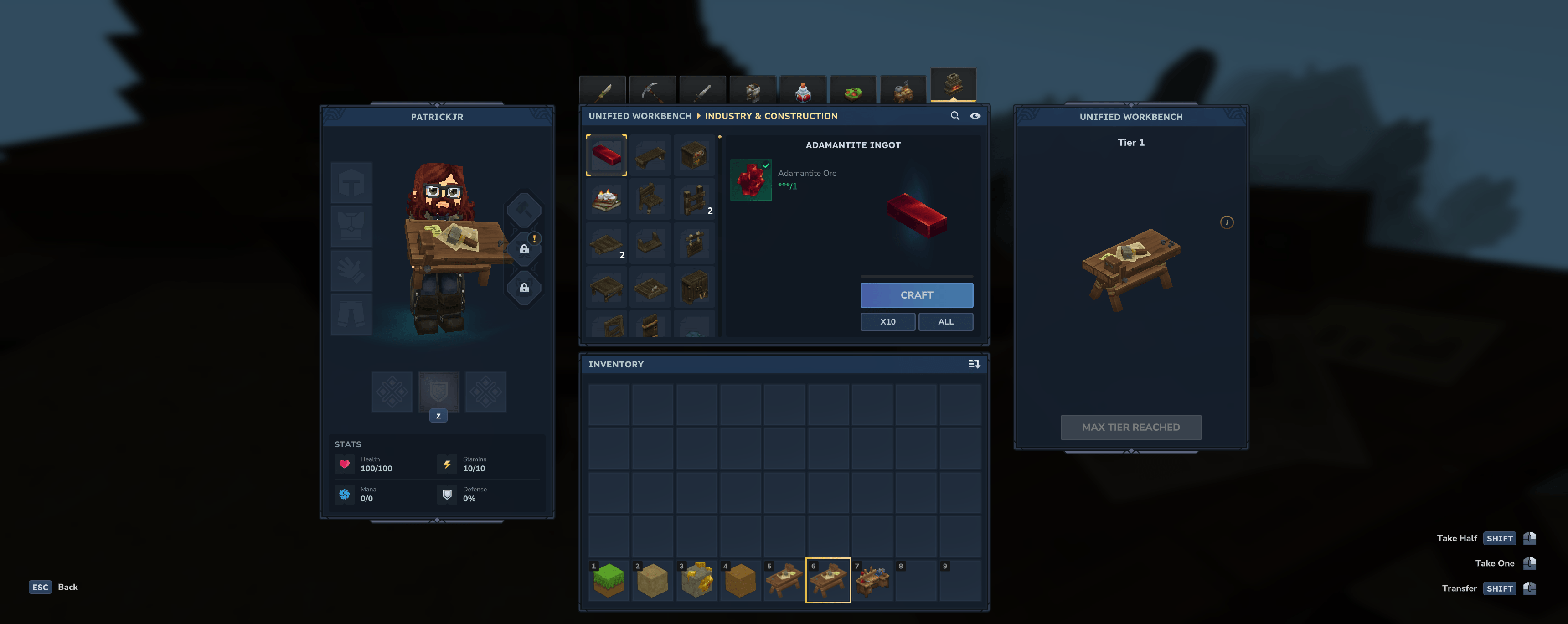
Organized Categories: Recipes are intuitively grouped into categories like Combat, Industry, Agriculture, and Magic for easy navigation.
Welcome Messages: Greets players on join with a thank you message and mod detection summary.
Compatibility: Built for Hytale Server 1.0-SNAPSHOT.
Crafting the Bench
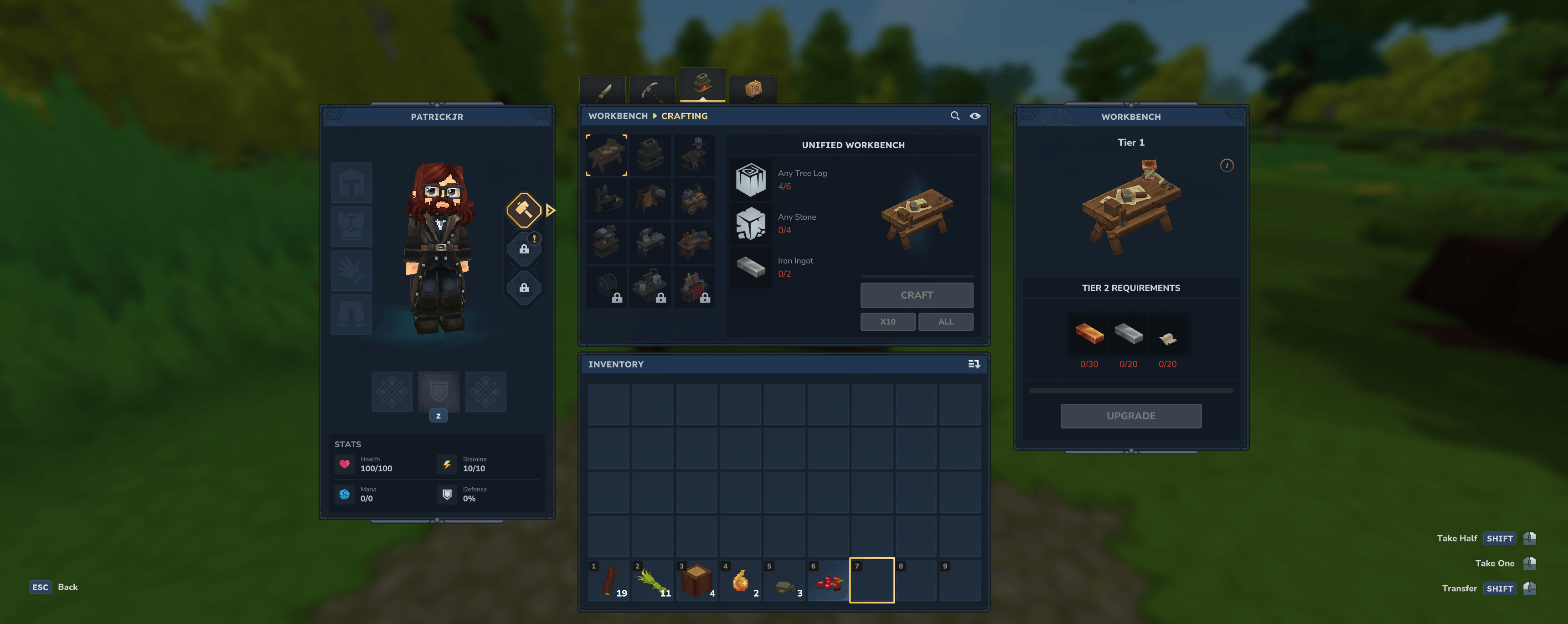
You can craft the Unified Workbench at a standard Wooden Workbench under the Crafting tab.
Materials:
6× Any Tree Log
4× Rock
2× Iron Ingot
Mod Integration
The Unified Workbench automatically detects recipes from other installed mods!
Smart Sorting: Automatically places items from supported mods (Macaw's, Stoneworks, Violets, NoCube, etc.) into the correct "Industry", "Tools", or "Furniture" tabs.
Unsorted Tab: A dedicated "Unsorted" tab appears as a catch-all for any mod recipes that don't fit into standard categories.
Auto-Detection: External mods are detected by known author prefixes at runtime
Join Notifications: Players see a summary of detected mods and recipe counts on join
No Hard Dependencies: Works without any mod needing to explicitly support Unified Workbench
Safe & Read-Only: Never modifies or overwrites external mod recipes
Supported Mod Authors & Prefixes
The following are automatically re-categorized out of the box:
Industry & Materials: Rock, Stone, Basalt, Marble, Granite, Clay, Dirt, Sandstone, Softwood, Hardwood, Deadwood, Mcw (Macaw's), Furniture, Deco, Furnishings, Stoneworks, Salvage, Storage, Chest, NoCube.
Tools & Utility: Useful Sticks, Item Magnet, Miners Helmet, Trash, AutoSort, BiggerStacks.
Agriculture & Nature: Soil, Foliage, Orchard, Cultivation, Tree.
Cooking & Ingredients: Ingredient, Bakehouse, Culinary, Tavern.
Alchemy & Magic: Potion, Magic, Arcane, Mana.
Expanded Station Support
Unified Workbench now actively pulls recipes from:
Salvagebench, Builders, Arcane_Portals, MemoriesUnlocked, Farmingbench, Furnace, Furniture_Bench, Loombench, Tannery, Armory, Armor_Bench, Weapon_Bench, Weapon_Sword.
Configuration
The mod generates a config.json in its data directory on first run.
Setting Description
showWelcomeMessage Toggle the orange welcome message on join
showModSummary Toggle the cyan mod detection summary on join
enableModDetection Enable/Disable the scanning for mod recipes and the "Unsorted" tab
targetBenches List of workbench IDs to pull recipes from
customModPrefixes Manually add mod prefixes to be detected (e.g. ["CoolMod"])
Administrative Commands
Manage the mod settings in-game:
/unifiedworkbench: View status and current configuration.
/unifiedworkbench config <welcome|summary|detection> <true/false>: Toggle various mod settings (with full tab completion).
/unifiedworkbench prefix [add|remove] <name>: Manage custom mod prefixes in-game.
/unifiedworkbench reload: Reload config.json from disk.
/unifiedworkbench rescan: Force a rescan for new mod recipes.
Developer API
Other mod developers can integrate with Unified Workbench to ensure their recipes are always detected.
Registering your mod prefix
Add UnifiedWorkbench as a provided dependency and call:
ModRegistry.getInstance().registerPrefix("YourModPrefix"); This will automatically add your prefix to the config and trigger a rescan to include your recipes.
Commands
Command Description
/unifiedworkbench Shows mod status and lists all detected external mods with recipe counts
Installation
Ensure you have a Hytale server running.
Place the UnifiedWorkbench-0.5.jar into your server's mods directory.
Restart the server.
The mod will automatically generate a config.json and inject recipes upon player join.
Known Issues
Unsorted Tab Click Area: The Unsorted tab icon can be a little hard to click due to Hytale's base UI overlay. If you have trouble selecting it, try clicking slightly to the left of the icon.
Authors
PatrickJr
Categories
Screenshots
Need a Server?
Run Unified Workbench on a dedicated Hytale server with easy mod management.
Get Hytale HostingFrequently Asked Questions
What is Unified Workbench?
Tired of running between half a dozen different crafting stations to finish one project? This Unified Workbench should be the right tool for you!
How do I download Unified Workbench?
You can download Unified Workbench for free from CurseForge. Click the "Download on CurseForge" button on this page to go directly to the download page.
Who created Unified Workbench?
Unified Workbench was created by PatrickJr. The mod has been downloaded 638 times.
Is Unified Workbench compatible with Hytale servers?
Unified Workbench is designed for Hytale and can be used on both single-player and multiplayer servers. Check the mod page on CurseForge for specific compatibility information.
How do I install Unified Workbench?
To install Unified Workbench: 1) Download the mod from CurseForge, 2) Place the file in your Hytale mods folder, 3) Restart the game. The mod should load automatically.
Related Utility Mods
View all mods
BetterMap
Paralaxe
Enhance Hytale World Map

Hybrid
Serilum
🏛️ A Hytale mod library that contains common code for all of Serilum's mods.

VeinMining
EineNT
Instantly mine connected ores and blocks by holding the Walk key (LEFT ALT) while breaking a single block.

Wayback Charm
DarkhaxDev
A charm to help you find your way back home.

Better Modlist
Buuz135
Adds a better modlist to the game, with improved features like searching and logos.

Simple Claims
Buuz135
Adds a chunk claim and protection system.