
WiFlow's Claims
A chunk-based land claiming plugin where players earn more claim slots through playtime, featuring trust ranks, customizable permissions, automatic expiration for inactive claims, and a visual GUI for easy claim management
About WiFlow's Claims
Chunk-based land claiming for Hytale. Players earn more claims through playtime, trust friends with customizable ranks, and manage everything through an intuitive GUI.
Features
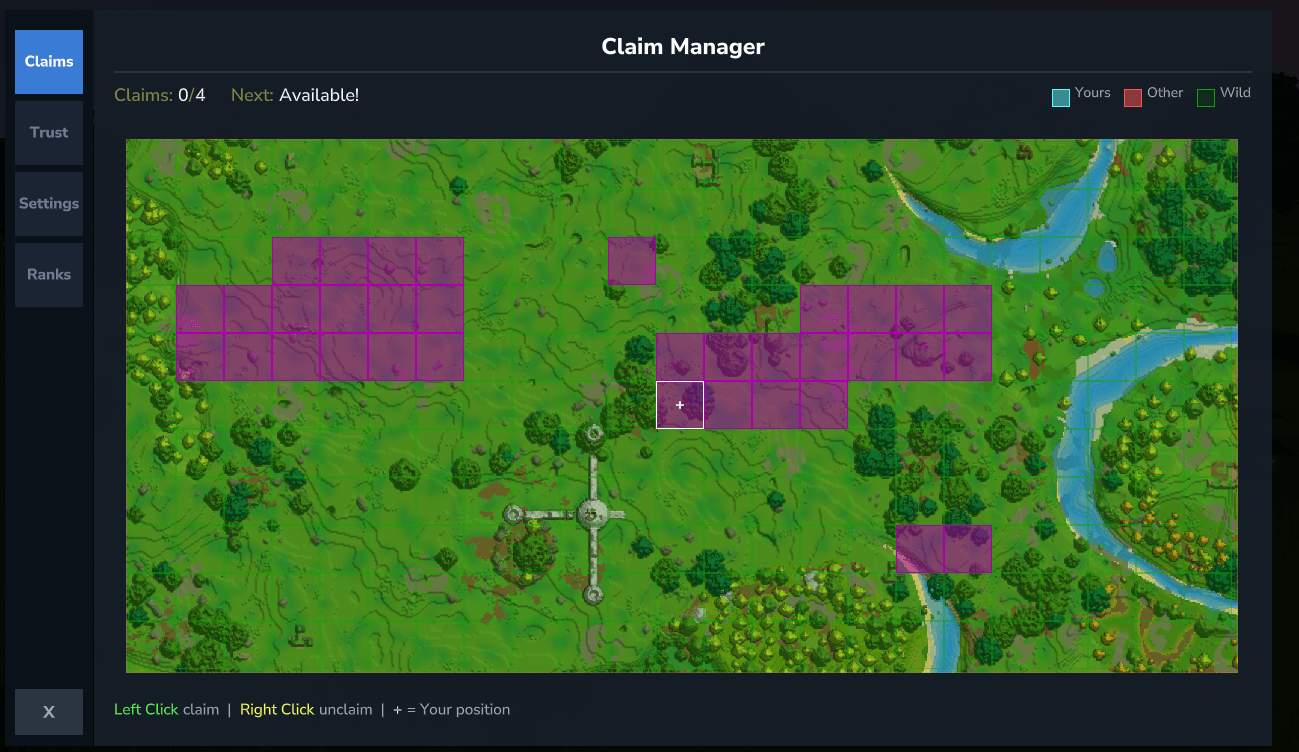
Chunk Claiming - Claim land by chunk with visual boundaries
Playtime Rewards - Players earn more claim slots the longer they play
Trust Ranks - Newstarter, Member, Chief with customizable permissions
Visual GUI - Chunk map viewer, trust management, color picker
Claim Expiration - Inactive claims auto-remove after configurable days
Ban System - Ban players from your claims, auto-teleports them out
Map Integration - Claims render on the world map via OrbisGuard
Multi-language - Full translation support with JSON language files
How It Works
Playtime Claim Slots (default config)
New player 4 claims
+1 hour 6 claims
+5 hours 14 claims
+10 hours 24 claims
Maximum 50 claims
Players can check their progress with /claims playtime or through the GUI.
Quick Start
/claims - Open the claim management GUI /claims claim - Claim the chunk you're standing in /claims unclaim - Unclaim the current chunk /claims trust <player> [rank] - Trust a player /claims untrust <player> - Remove trust /claims list - List all your claims
The GUI
The visual interface has 4 tabs:
Claims - Interactive chunk map. Left-click to claim, right-click to unclaim. Shows your position, claim stats, and expiration timer.
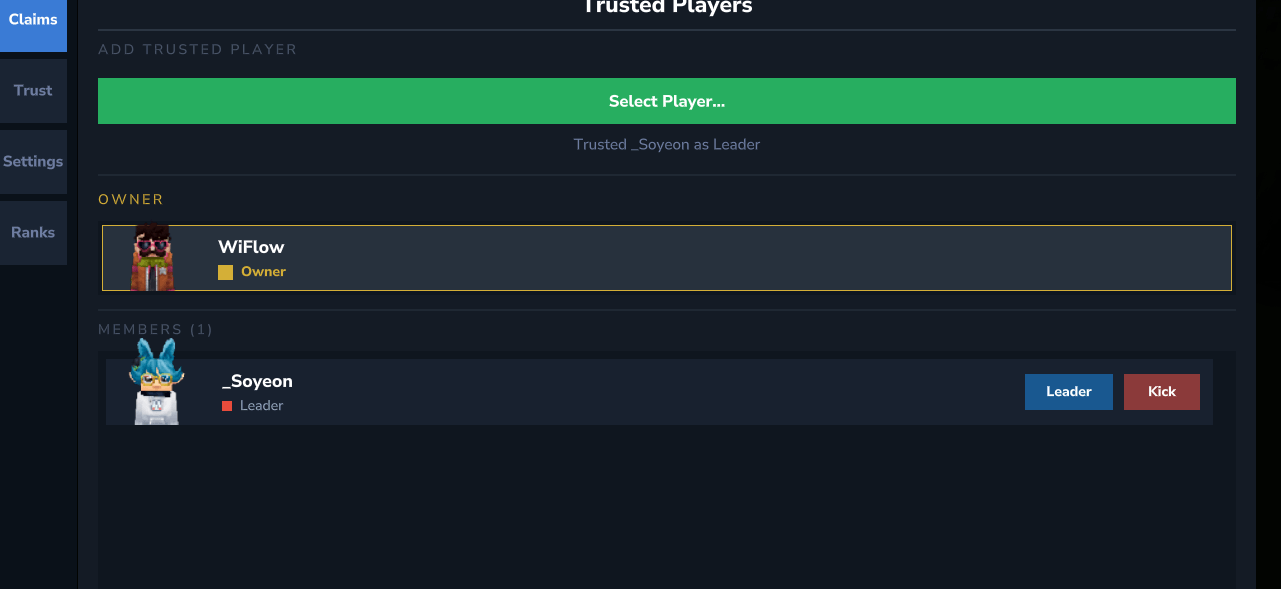
Trust - Manage trusted players. Add from online players, change ranks, kick members.
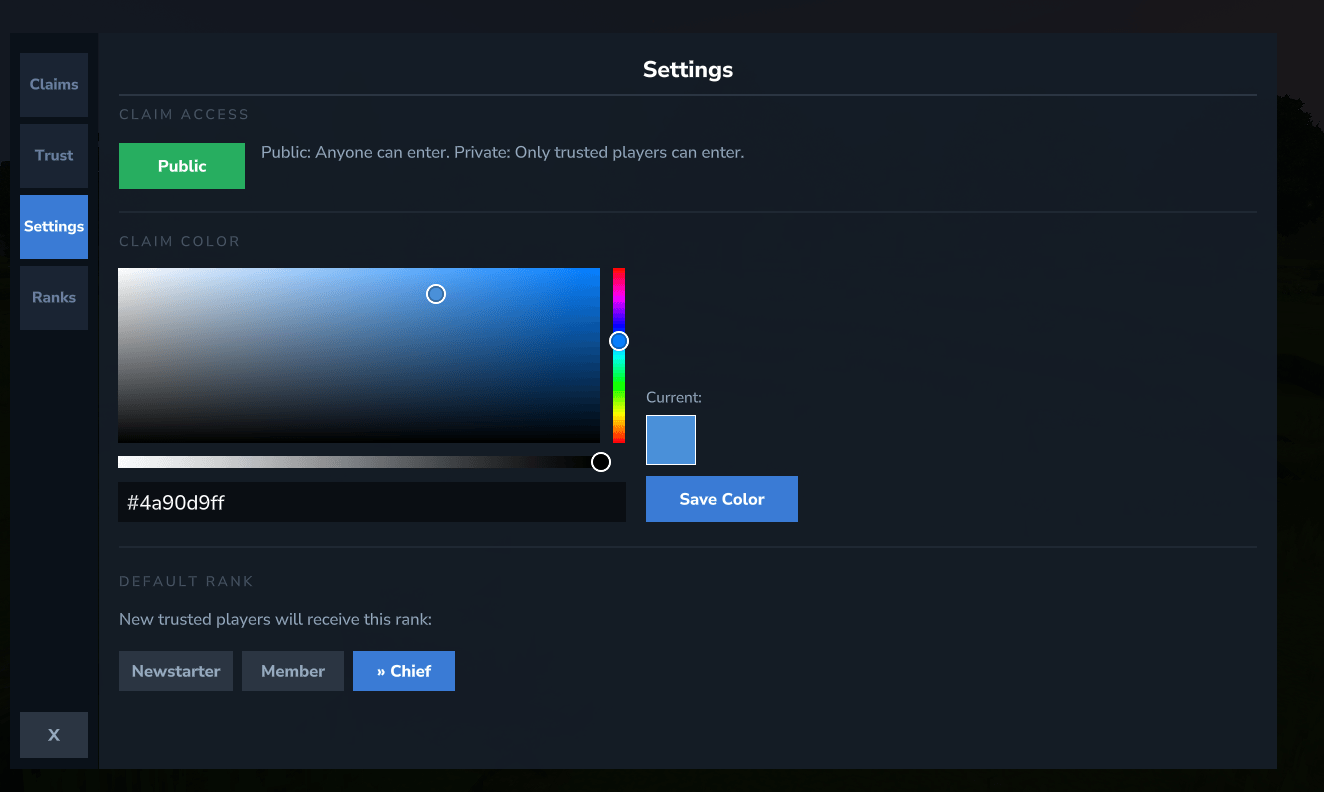
Settings - Set claims public/private, choose your claim color for the map, set default rank for new trusted players.
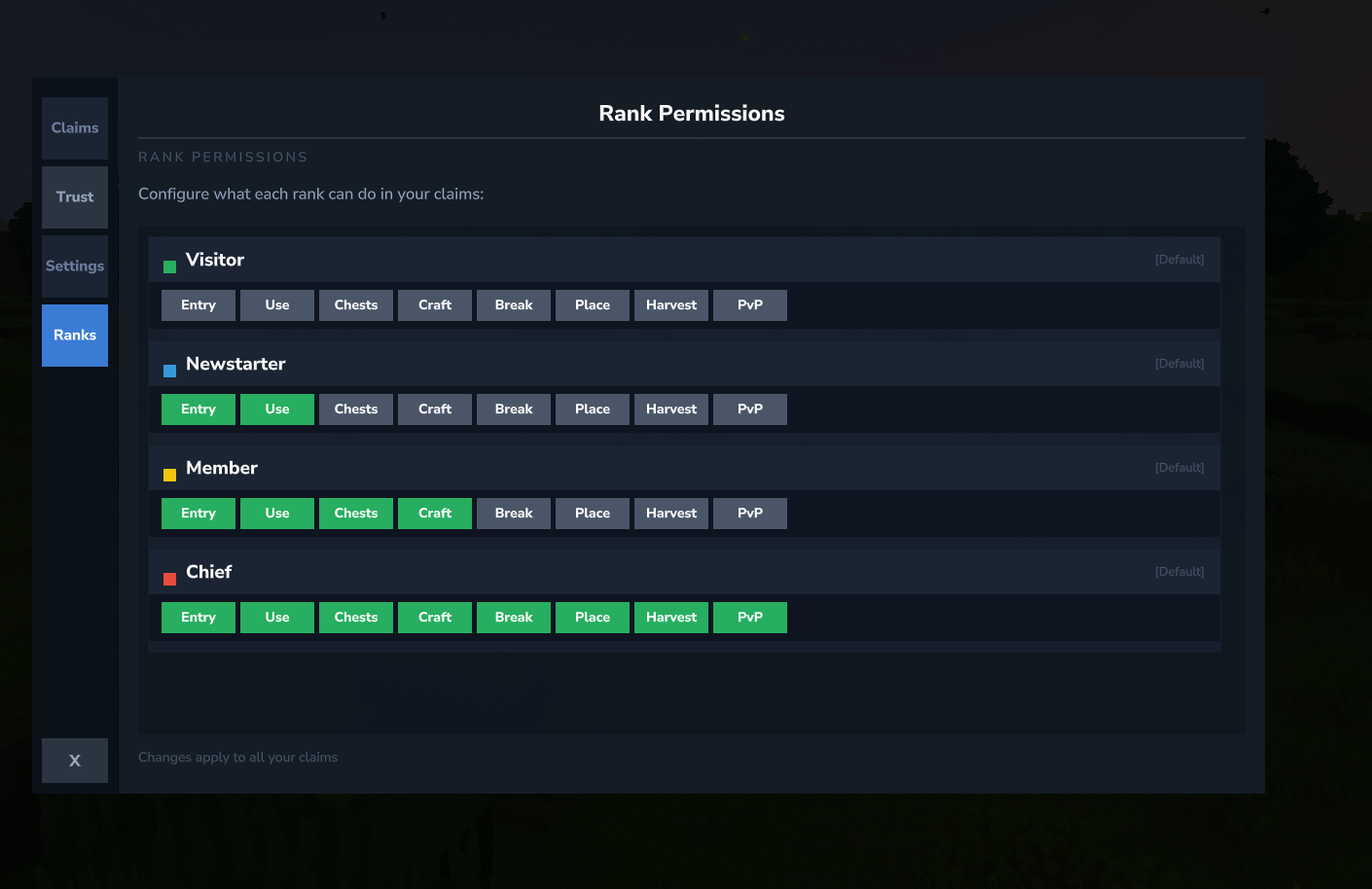
Ranks - Customize what each rank can do (break, place, use chests, PvP, etc.)
Trust Ranks
Rank Default Permissions
Visitor None (non-trusted players)
Newstarter Entry, use doors/buttons, PvE
Member + Chests, crafting stations
Chief Full access (all permissions)
Claim owners can customize rank permissions per-player through the Ranks tab.
Claim Expiration
Claims from inactive players are automatically removed to free up land:
Default: 30 days of inactivity
Trusted member activity also prevents expiration
Timer shows in the GUI so players know when to log in
Admins can adjust or disable via /claims admin set expiration <days>
All Commands
Player Commands
Command Description
/claims Open the claim GUI
/claims claim Claim current chunk
/claims unclaim Unclaim current chunk
/claims unclaimall Remove all your claims
/claims list List your claims
/claims trust <player> [rank] Trust a player
/claims untrust <player> Remove trust
/claims trustlist Show trusted players
/claims ban <player> Ban from your claims
/claims unban <player> Unban a player
/claims banlist Show banned players
/claims playtime Check playtime and claim slots
Admin Commands
Command Description
/claims admin gui Open admin claim viewer
/claims admin config View current settings
/claims admin set <setting> <value> Change settings
/claims admin reload Reload configuration
/claims admin unclaim [player] Remove player's claims
/claims admin transfer <player> Transfer claim ownership
/claims admin bonus <player> [amount] Grant bonus claim slots
/claims admin worlds [add|remove] [world] Manage world whitelist
Configuration
Setting Default Description
startingClaims 4 Claims for new players
claimsPerHour 2.0 Claims earned per hour played
maxClaims 50 Maximum claims per player
claimBufferSize 2 Chunks between different players' claims
claimExpirationDays 30 Days until inactive claims expire (0 = off)
pvpInPlayerClaims true Allow PvP in player claims
worldWhitelist ["default"] Worlds where claiming is allowed
All settings can be changed in-game with /claims admin set commands.
Requirements
OrbisGuard - Required for protection and map rendering
WiFlowsClaims creates OrbisGuard regions for each claimed chunk. This provides:
Full block protection (break, place, hammer)
Container protection (chests, barrels)
PvP control per claim
Claims visible on the world map
Installation
Hytale/ └── mods/ ├── OrbisGuard-x.x.x.jar <- Required dependency └── WiFlowsClaims-1.0.0.jar <- This plugin
Permissions
Permission Description
wiflowsclaims.use Use player commands (claim, trust, etc.)
wiflowsclaims.admin Use admin commands
Support
Questions or issues? Join the Discord server or contact w1fl0w.
Categories
Screenshots
Need a Server?
Run WiFlow's Claims on a dedicated Hytale server with easy mod management.
Get Hytale HostingFrequently Asked Questions
What is WiFlow's Claims?
A chunk-based land claiming plugin where players earn more claim slots through playtime, featuring trust ranks, customizable permissions, automatic expiration for inactive claims, and a visual GUI for easy claim management
How do I download WiFlow's Claims?
You can download WiFlow's Claims for free from CurseForge. Click the "Download on CurseForge" button on this page to go directly to the download page.
Who created WiFlow's Claims?
WiFlow's Claims was created by wiflow. The mod has been downloaded 157 times.
Is WiFlow's Claims compatible with Hytale servers?
WiFlow's Claims is designed for Hytale and can be used on both single-player and multiplayer servers. Check the mod page on CurseForge for specific compatibility information.
How do I install WiFlow's Claims?
To install WiFlow's Claims: 1) Download the mod from CurseForge, 2) Place the file in your Hytale mods folder, 3) Restart the game. The mod should load automatically.
Related Utility Mods
View all mods
BetterMap
Paralaxe
Enhance Hytale World Map

Hybrid
Serilum
🏛️ A Hytale mod library that contains common code for all of Serilum's mods.

VeinMining
EineNT
Instantly mine connected ores and blocks by holding the Walk key (LEFT ALT) while breaking a single block.

Wayback Charm
DarkhaxDev
A charm to help you find your way back home.

Better Modlist
Buuz135
Adds a better modlist to the game, with improved features like searching and logos.

Simple Claims
Buuz135
Adds a chunk claim and protection system.