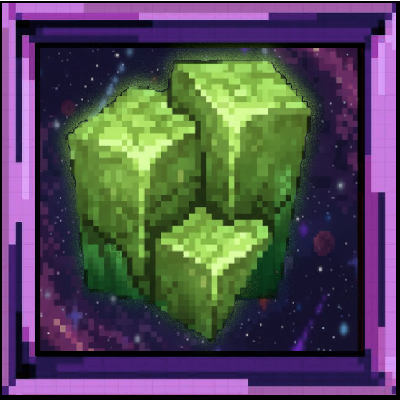
Comet Raids
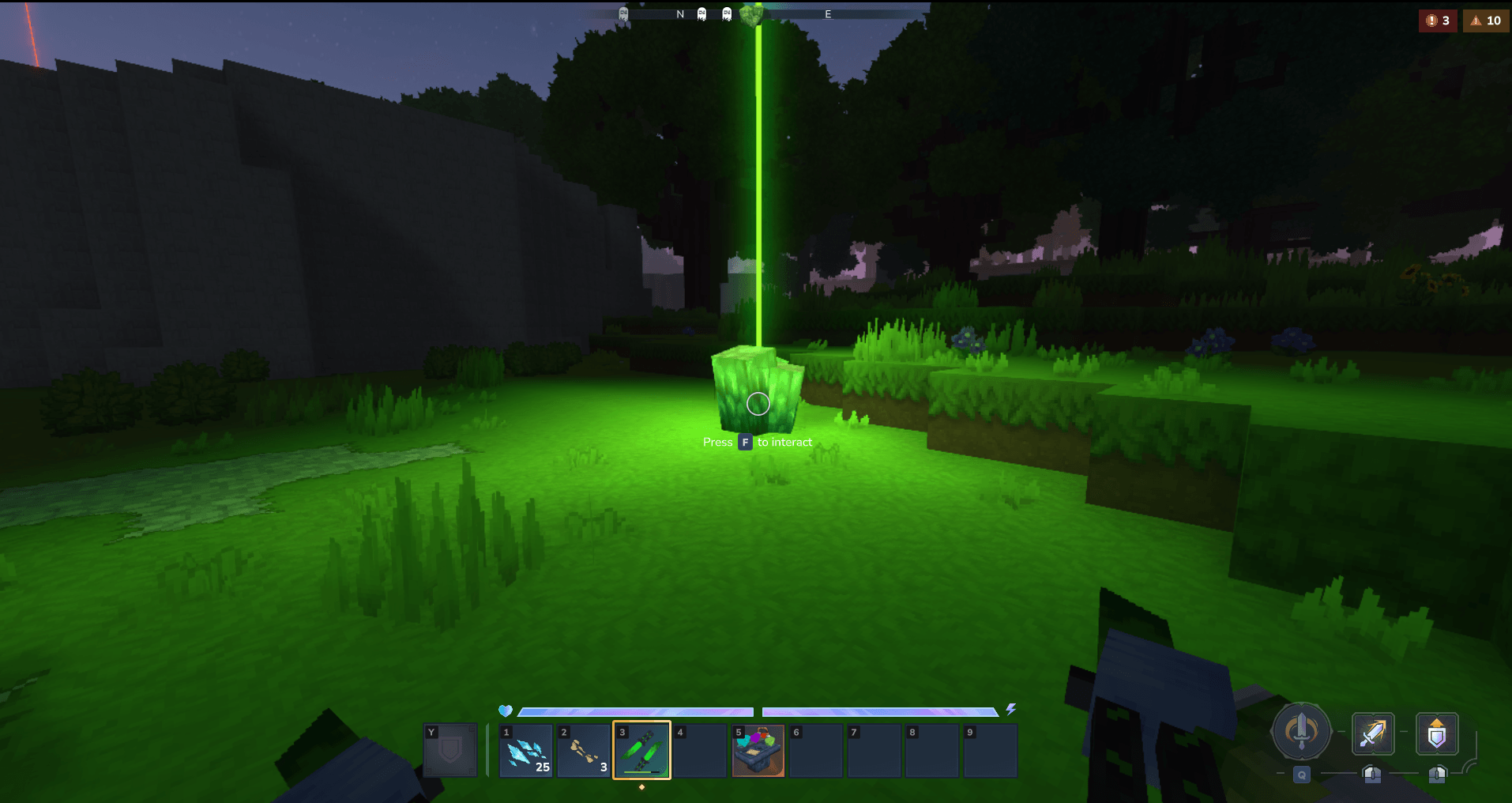
Falling comets crash into your world with waves of enemies to fight - break the comet stone, survive the raid, claim the loot.
About Comet Raids
Comet Raids
Ever wanted random events to spice up your Hytale gameplay? This mod adds falling comets that crash into your world, bringing waves of enemies to fight. Break the comet stone to start the encounter - survive all waves and claim your rewards.
This mod is built for players who want a raid-like experience and server owners who want a customizable reward system. You can create your own custom themes, define multi-wave encounters, override loot tables per theme, and tweak every aspect of the spawning and combat. Check the bottom of comet_config.json for examples of custom wave configurations.
Note: This mod has only been tested in singleplayer. Multiplayer functionality should work but hasn't been thoroughly tested. If you run into bugs, please report them!
Features
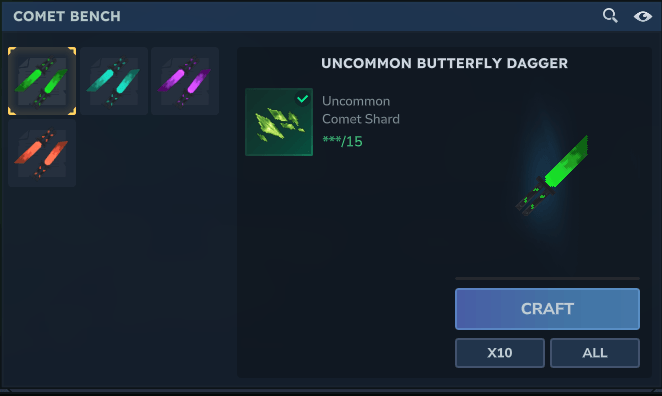
4 Comet Tiers - Uncommon, Rare, Epic, and Legendary. Higher tiers = tougher fights, better loot.
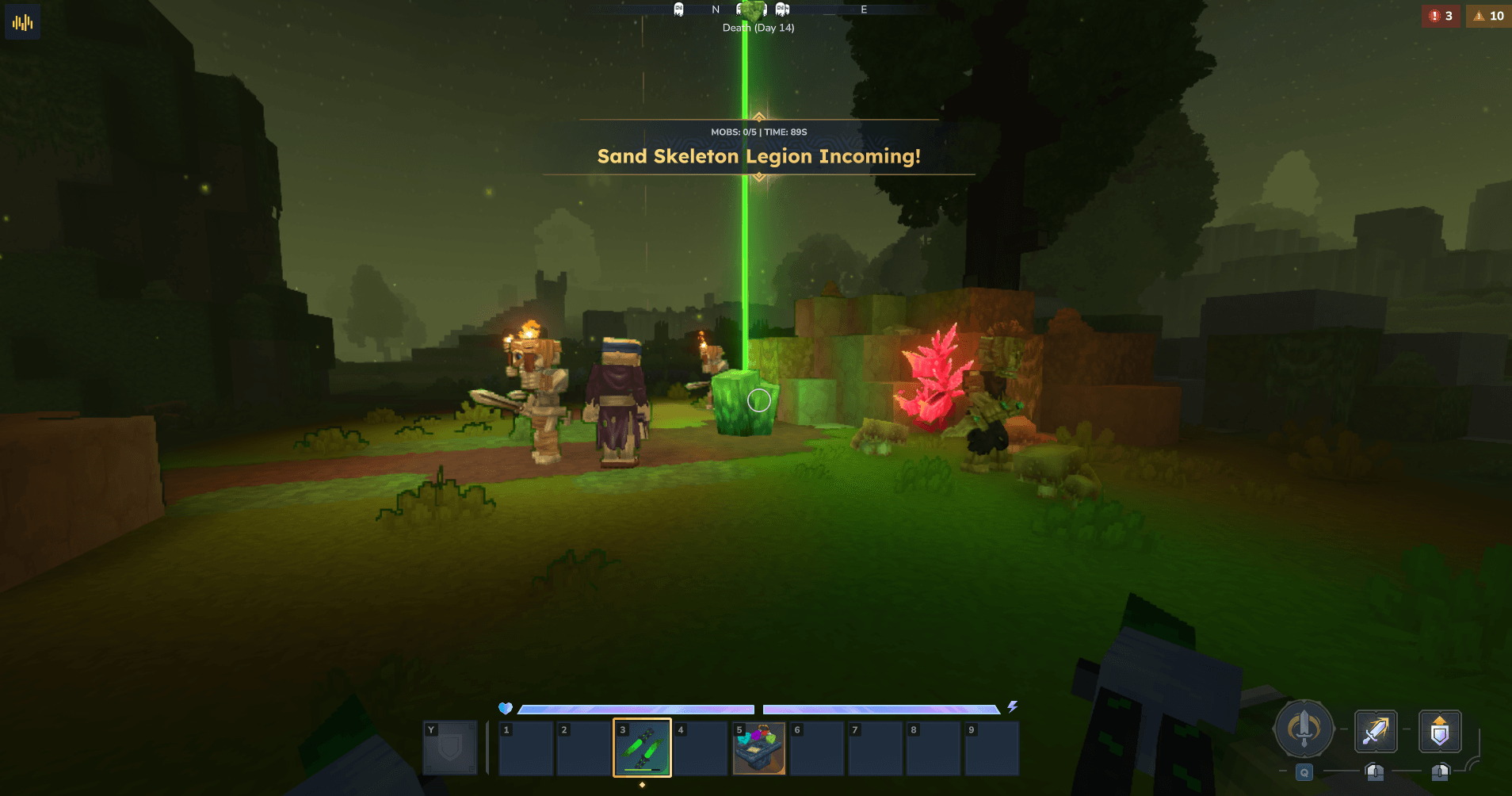
Themed Waves - Skeletons, goblins, spiders, trorks, outlanders, undead hordes… each comet picks a random theme (or you can force one).
Multi-Wave Combat - Enemies spawn in waves. Clear one, the next begins. Rewards drop after the final wave.
Map Markers - Comets show up on your map so you can track them down.
Fully Configurable - Spawn rates, enemy counts, loot tables, despawn timers… tweak it all.
Comet Ownership
By default, each comet is "owned" by the player it spawned for. Only that player can see the map marker and trigger the encounter by breaking the comet block. Other players can't interact with it.
If you want any player to be able to trigger any comet (useful for multiplayer servers), set "globalComets": true in the config. When enabled:
All players see all comet markers on the map
Any player can break and trigger any comet
When Do Comets Spawn?
Comets spawn naturally based on these default settings:
Spawn interval: Every 2-5 minutes (120-300 seconds)
Spawn chance: 40% chance each time the interval triggers
Spawn distance: 30-50 blocks away from a player
Despawn: Unclaimed uncommon comets despawn after 30 minutes
The tier of comet that spawns depends on the zone you're in:
Zone 1: 80% Uncommon, 20% Rare
Zone 2: 40% Uncommon, 40% Rare, 20% Epic
Zone 3: 30% Rare, 50% Epic, 20% Legendary
Zone 4: 40% Epic, 60% Legendary
Commands
Main Commands
Command Description
/comet spawn Spawns an Uncommon comet near you
/comet spawn --tier Rare Spawns a specific tier (Uncommon, Rare, Epic, Legendary)
/comet spawn --theme Skeleton Spawns with a specific theme
/comet spawn --tier Legendary --theme Void Combine tier and theme
/comet spawn --onme true Spawns comet directly above you (for testing)
/comet test Simulates automatic zone-based comet spawn for your location
/comet zone Shows your current zone and comet tier distribution
/comet destroyall Removes all active comet blocks in the world
/comet reload Reloads the config from file
Fixed Spawn Point Commands
These commands let you set up spawn points that automatically spawn comets at specific locations.
Command Description
/comet setspawn <cooldown> Add a fixed spawn point with cooldown in seconds
/comet schedulespawn <times> Add a spawn point with real-world times (e.g. 18:00,06:00)
/comet removespawn Remove the nearest spawn point (within 10 blocks)
/comet removespawn --target <name or index> Remove a spawn point by name or index number
/comet listspawns List all configured fixed spawn points
Optional flags for setspawn/schedulespawn: --name, --tier, --theme, --despawnMinutes, --notifyRadius, --notifyTitle, --notifySubtitle
Full example:
/comet setspawn 300 --name "Boss Arena" --tier Epic --theme Trork --notifyRadius global --notifyTitle "Boss Incoming!" Spawn Command Examples
/comet spawn /comet spawn --tier Legendary /comet spawn --tier Epic --theme Trork /comet spawn --theme Undead /comet spawn --tier Rare --theme Spider /comet spawn --onme true --tier Legendary More Fixed Spawn Examples
/comet setspawn 300 # Basic cooldown spawn /comet setspawn 600 --tier Epic --theme Trork # With tier and theme /comet setspawn 300 --notifyRadius none # No notification /comet schedulespawn 18:00,06:00 --name "Evening Raid" # Scheduled times /comet removespawn --target "Town Square" # Remove by name Available Themes
Tier 1 = Uncommon, Tier 2 = Rare, Tier 3 = Epic, Tier 4 = Legendary
Skeleton - Skeleton Horde (Tier 1-2)
Goblin - Goblin Gang (Tier 1-2)
Spider - Spider Swarm (Tier 1-2)
Trork - Trork Warband (Tier 1-3)
Skeleton_Sand - Sand Skeleton Legion (Tier 1-3)
Sabertooth - Sabertooth Pack (Tier 1-3)
Void - Voidspawn (Tier 1-3)
Outlander - Outlander Cult (Tier 2-4)
Leopard - Snow Leopard Pride (Tier 2-4)
Skeleton_Burnt - Burnt Legion (Tier 3-4)
Ice - Legendary Ice (Tier 3-4)
Burnt_Legendary - Legendary Burnt (Tier 3-4)
Lava - Legendary Lava (Tier 3-4)
Earth - Legendary Earth (Tier 3-4)
Undead - Undead Horde (Tier 1-4)
Zombie - Zombie Aberration (Tier 3-4)
Configuration
All settings live in comet_config.json. Open it with any text editor.
Fixed Spawn Points
Fixed spawn points are stored in a separate file: fixed_spawns.json. You can edit this file directly or use the in-game commands.
Each spawn point supports two modes:
Cooldown mode: Spawns a comet every X seconds
Scheduled mode: Spawns at specific real-world times (24-hour format)
{ "spawns": [ { "x": 100, "y": 64, "z": 200, "name": "Town Square", "enabled": true, "cooldownSeconds": 300, "tier": "Epic", "theme": "Trork Warband", "despawnMinutes": 15.0 }, { "x": -50, "y": 70, "z": 150, "name": "Evening Raid", "enabled": true, "scheduledTimes": ["18:00", "06:00", "12:00"], "tier": "Legendary", "notifyRadius": "global", "notifyTitle": "The Arena Awakens!", "notifySubtitle": "A legendary challenge awaits..." } ] } Options:
name - Custom name to identify this spawn point (optional, used for removal by name)
enabled - true/false to enable or disable this spawn point
cooldownSeconds - Seconds between spawns (used if scheduledTimes is empty)
scheduledTimes - Array of real-world times like ["18:00", "06:00"] - spawns at these times daily
tier - Uncommon, Rare, Epic, or Legendary (optional, random if not set)
theme - Theme name like "Skeleton Horde" (optional, random if not set)
despawnMinutes - Custom despawn time for this spawn point (optional, uses global if not set)
notifyRadius - Notification radius: omit = 100 blocks (default), "none" = no notification, "global" = all players, number = custom radius in blocks
notifyTitle - Custom notification title (optional, default: "Tier Comet Falling!")
notifySubtitle - Custom notification subtitle (optional, default: "Watch the sky!")
Main Sections
spawnSettings - Controls natural comet spawning
"spawnSettings": { "naturalSpawnsEnabled": true, // Set to false to disable random spawns (use only fixed spawn points) "minDelaySeconds": 120, // Minimum time between spawn attempts "maxDelaySeconds": 300, // Maximum time between spawn attempts "spawnChance": 0.4, // 40% chance to spawn when timer triggers "despawnTimeMinutes": 30.0, // How long uncommon comets last before despawning "minSpawnDistance": 30, // Minimum blocks from player "maxSpawnDistance": 50, // Maximum blocks from player "globalComets": false // If true, any player can trigger any comet }
Tip: If you want comets to only spawn at fixed locations, set "naturalSpawnsEnabled": false and configure spawn points in fixed_spawns.json.
zoneSpawnChances - Tier distribution per zone
"zoneSpawnChances": { "0": { "tier1": 1.0, "tier2": 0.0, "tier3": 0.0, "tier4": 0.0 }, "1": { "tier1": 0.8, "tier2": 0.2, "tier3": 0.0, "tier4": 0.0 } } tierSettings - Per-tier combat settings
"tierSettings": { "1": { "timeoutSeconds": 90, // How long before wave times out "minRadius": 3.0, // Min spawn radius for enemies "maxRadius": 5.0 // Max spawn radius for enemies } } rewardSettings - Loot drops per tier
"rewardSettings": { "1": { "drops": [ { "id": "Ingredient_Bar_Copper", "minCount": 5, "maxCount": 7, "chance": 100, "displayName": "Copper Ingots" } ] } } themes - Enemy wave configurations (see existing themes for examples)
Theme Configuration
Themes can have custom reward overrides that replace the default tier rewards:
"skeleton_siege": { "displayName": "Skeleton Siege", "naturalSpawn": false, // Won't spawn naturally, only via command "tiers": [2, 3], "waves": [...], "rewardOverride": { "2": { "drops": [...], "bonusDrops": [...] } } } Use "naturalSpawn": false on themes you're testing to prevent them from spawning naturally.
Creating Custom Themes
Want to make your own encounters? Check the skeleton_siege theme at the bottom of comet_config.json for a full example. You can:
Define multiple waves with different enemy compositions
Set per-tier stats for each mob (HP, damage, scale, speed)
Configure boss waves separately from normal waves
Override the default loot table with custom rewards per tier
Use "naturalSpawn": false to prevent a theme from spawning naturally while you test it
The config is fully JSON - just copy an existing theme, rename it, and start tweaking.
Tip for Fixed Spawn Points: If you're creating a custom theme specifically for fixed spawn points (like boss arenas), set "naturalSpawn": false on that theme so it only spawns at your configured locations, not randomly in the world.
Source Code
Source is available at https://github.com/FrogCsLoL/Comet-Raids
Bug Reports
Found a bug? Report it on Curseforge or Github. Include what you were doing, any error messages from the server console, and whether you're running singleplayer or multiplayer.
Usage & Distribution
This mod is free to use, modify, and redistribute. Just credit me (Frog) somewhere if you share it or use it in your own projects. That's all I ask.
Credits
Created by Frog
Ty to Pferd for balancing this Mod.
Some parts of this mod were made with AI assistance - mainly coding help and upscaling some visual assets like the mod icon.
Have fun getting obliterated by Legendary comets.
Categories
Screenshots
Need a Server?
Run Comet Raids on a dedicated Hytale server with easy mod management.
Get Hytale HostingFrequently Asked Questions
What is Comet Raids?
Falling comets crash into your world with waves of enemies to fight - break the comet stone, survive the raid, claim the loot.
How do I download Comet Raids?
You can download Comet Raids for free from CurseForge. Click the "Download on CurseForge" button on this page to go directly to the download page.
Who created Comet Raids?
Comet Raids was created by FrogCSLOL. The mod has been downloaded 542 times.
Is Comet Raids compatible with Hytale servers?
Comet Raids is designed for Hytale and can be used on both single-player and multiplayer servers. Check the mod page on CurseForge for specific compatibility information.
How do I install Comet Raids?
To install Comet Raids: 1) Download the mod from CurseForge, 2) Place the file in your Hytale mods folder, 3) Restart the game. The mod should load automatically.
Related Gameplay Mods
View all mods
Wan's Wonder Weapons
WanMine
A collection of unique weapons for Hytale, new "relics" blending elemental power, dark magic, and a touch of absurdity!

Perfect Parries
narwhals
Adds a souls-like/RPG combat mechanic where if you block at the instant where you are supposed to take damage, you don't lose stamina, deflect some damage, and stun the attacker. This mod includes a stamina system similar to that of souls/RPG games.

Spellbook
DarkhaxDev
Powering your favorite mods with clean, reusable helpers and utilities.

RPG Leveling And Stats/Skills
Zuxaw_dev
An RPG leveling plugin for Hytale that adds experience points, leveling, stat allocation, and character progression with a GUI, HUD, competitive leaderboard system, and full multi-language translation support.

Lucky Mining
Buuz135
Get more ores from mining, the more you mine in a row, the more ores you get.

MMO Skill Tree
ziggfreed
(Multiple Languages) MMO Skill Tree adds an RPG-style progression system where every action you take helps you grow stronger.