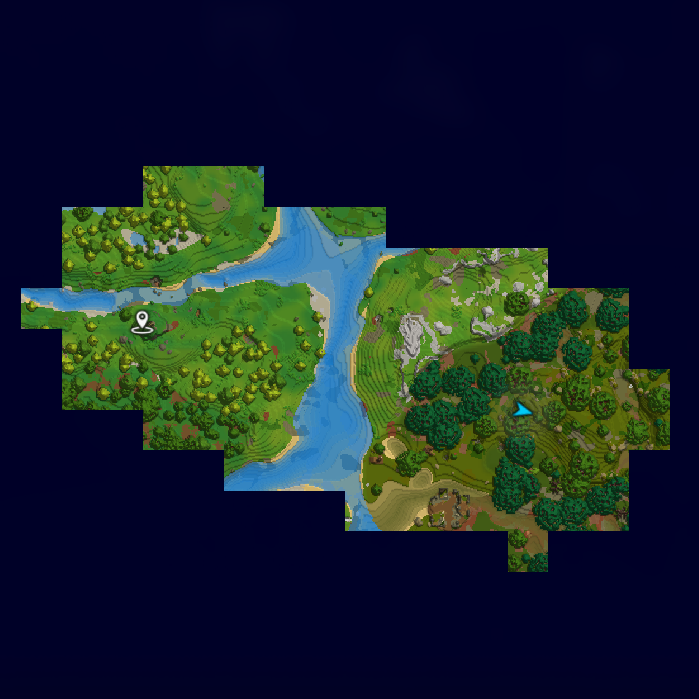
Explorers Map
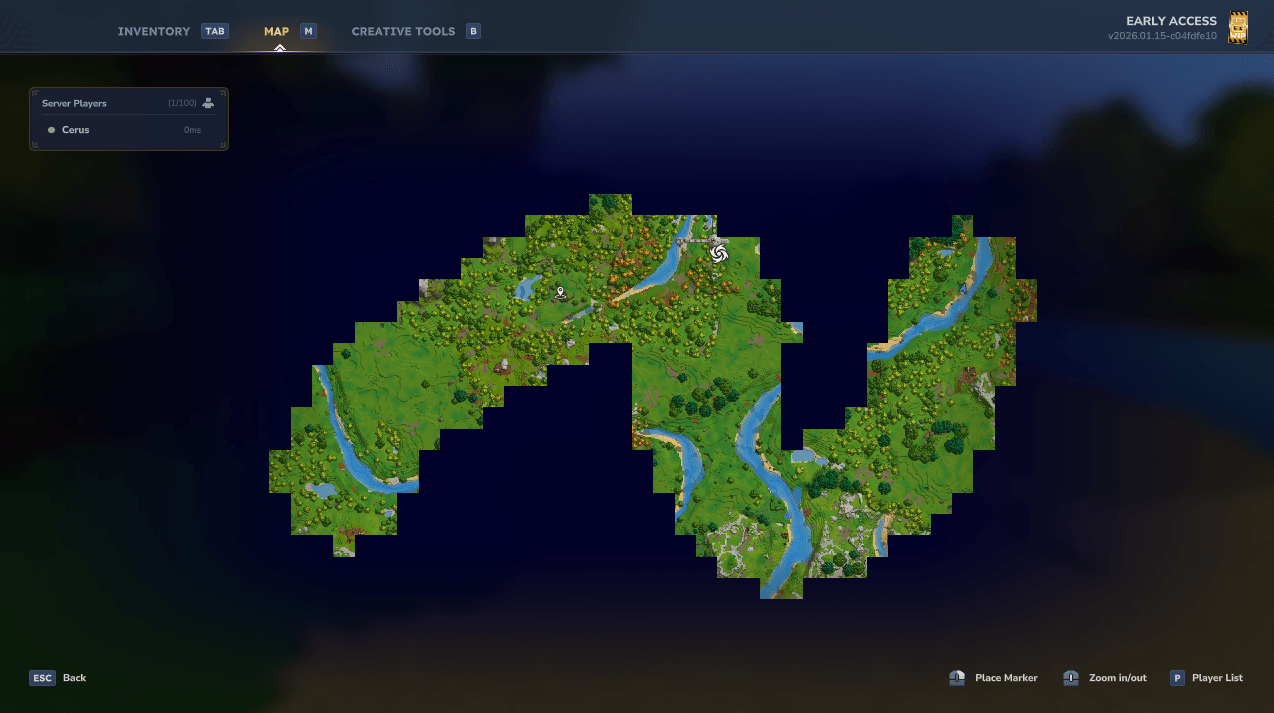
Changes the map to only show places you've been to like the true explorer you are! With multiplayer support.
About Explorers Map
Explorers Map
Showcase
Installation
Download the mod
Put the mod into your mods folder
On singleplayer you have to enable the mod for your world. Right-click on your world and set the checkmark for ExplorersMap.
Enjoy!
Configuration
The mod can be configured in-game using the command /explorersmap. You will need to be op or have the permission explorersmap.command to run the command.
The mod comes with the following configuration file:
mods/Cerus_ExplorersMap/ExplorersMap.json
{ // The radius of chunks around your player that will be discovered. // Warning: Setting this any higher than 10 could make your game or server very laggy. "ExplorationRadius": 3, // When set to true, each player will each have a different map and will only see the places they've personally been to. // When set to false, all players share a map and will see where others have been to. Includes live updates. "PerPlayerMap": true, // The rate at which cached tile images are loaded from the disk. This value is per tick. "DiskLoadRate": 16, // The rate at which the chunks around the player are mapped into tiles. This value is per tick. Vanilla value is 20. "GenerationRate": 20, // Sets how far you can zoom out. Min value is 2. "MinZoom": 8.0, // When set to true, tiles from instances (temporary worlds) will be saved to disk. // Each instance type gets a dedicated folder. "SaveInstanceTiles": false, // The tile resolution. Available resolutions: // - BEST: 96x96 tiles. Vanilla. Will crash the game on very well explored maps. // - GOOD: 32x32 tiles. Still very detailed. Might crash the game on well explored maps. // - FAST: 16x16 tiles. Default. Looks good enough. // - FASTER: 8x8 tiles. Starting to lose a lot of detail. // - FASTEST: 4x4 tiles. Almost no detail left. Only use if all other resolutions crash the game. "Resolution": "FAST" } Technical details
The plugin will cache generated tiles on the disk as images. This significantly reduces the stress on the game to generate chunks. The tiles are stored at mods/Cerus_ExplorersMap/tiles
The information which chunks have been discovered by who is stored at mods/Cerus_ExplorersMap/discovered
The mod overwrites the vanilla map rendering mechanic. This could lead to incompatibilities with other mods doing the same.
Need help? Want to report bugs?
Feel free to open an issue on GitHub. You can also join my Discord server and talk in #hytale about this mod.
Enjoying the mod?
Consider buying me a coffee! <3
Categories
Screenshots
Need a Server?
Run Explorers Map on a dedicated Hytale server with easy mod management.
Get Hytale HostingFrequently Asked Questions
What is Explorers Map?
Changes the map to only show places you've been to like the true explorer you are! With multiplayer support.
How do I download Explorers Map?
You can download Explorers Map for free from CurseForge. Click the "Download on CurseForge" button on this page to go directly to the download page.
Who created Explorers Map?
Explorers Map was created by iamcerus. The mod has been downloaded 25.0K times.
Is Explorers Map compatible with Hytale servers?
Explorers Map is designed for Hytale and can be used on both single-player and multiplayer servers. Check the mod page on CurseForge for specific compatibility information.
How do I install Explorers Map?
To install Explorers Map: 1) Download the mod from CurseForge, 2) Place the file in your Hytale mods folder, 3) Restart the game. The mod should load automatically.
Related Gameplay Mods
View all mods
Wan's Wonder Weapons
WanMine
A collection of unique weapons for Hytale, new "relics" blending elemental power, dark magic, and a touch of absurdity!

Perfect Parries
narwhals
Adds a souls-like/RPG combat mechanic where if you block at the instant where you are supposed to take damage, you don't lose stamina, deflect some damage, and stun the attacker. This mod includes a stamina system similar to that of souls/RPG games.

Spellbook
DarkhaxDev
Powering your favorite mods with clean, reusable helpers and utilities.

RPG Leveling And Stats/Skills
Zuxaw_dev
An RPG leveling plugin for Hytale that adds experience points, leveling, stat allocation, and character progression with a GUI, HUD, competitive leaderboard system, and full multi-language translation support.

Lucky Mining
Buuz135
Get more ores from mining, the more you mine in a row, the more ores you get.

MMO Skill Tree
ziggfreed
(Multiple Languages) MMO Skill Tree adds an RPG-style progression system where every action you take helps you grow stronger.