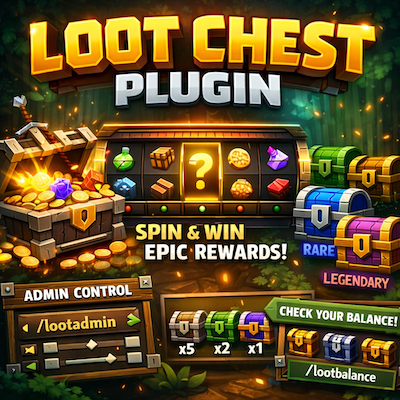
Loot Chest
A complete loot chest system with roulette-style animations, five rarity tiers, and full admin controls for Hytale servers
About Loot Chest
Overview
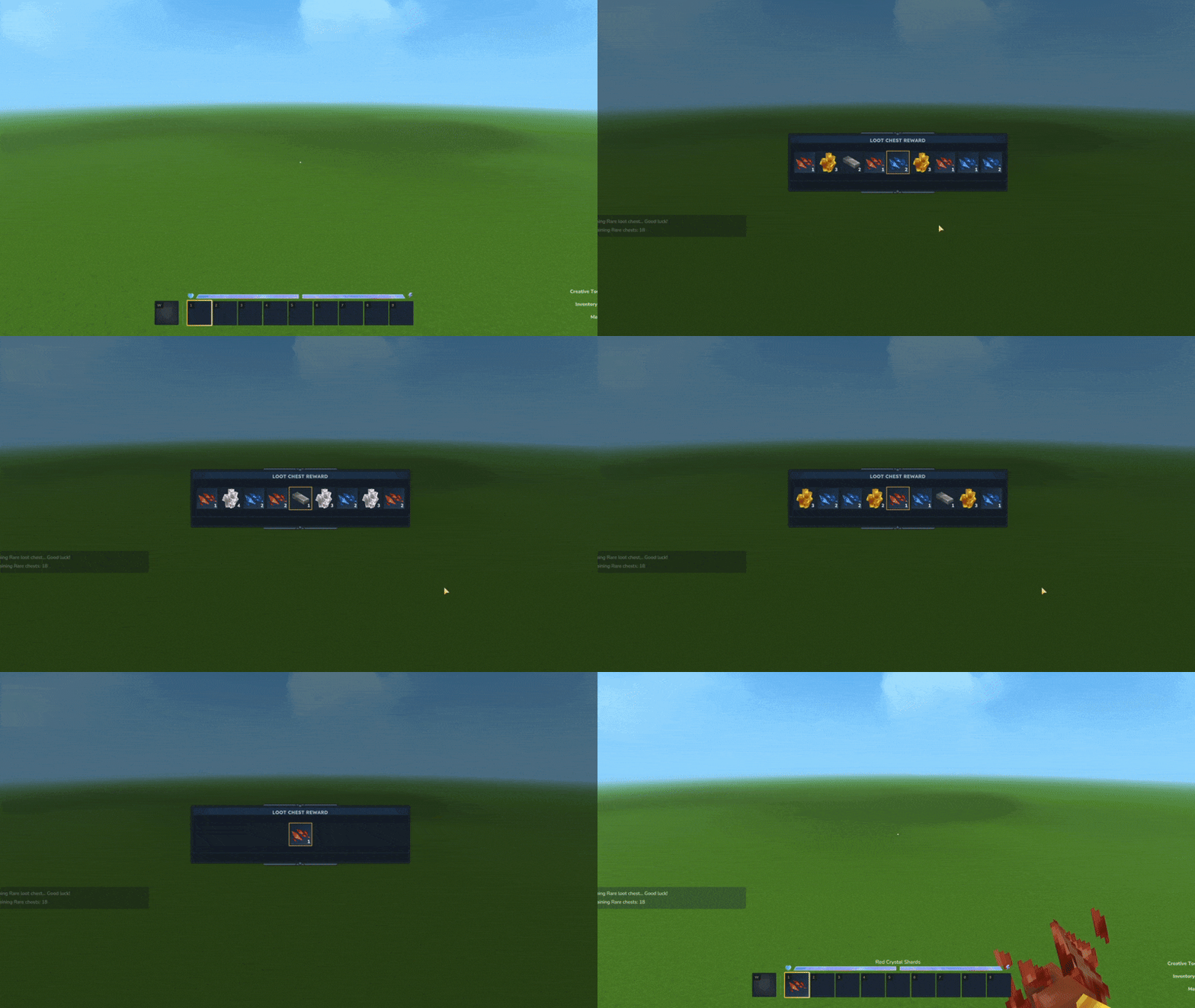
Loot Chest Plugin brings an exciting reward system to your Hytale server! Players can open virtual loot chests with a satisfying casino-style roulette animation that scrolls through potential rewards before landing on their prize.
Server administrators have full control over:
Which items appear in each rarity tier
How many chests each player can open
Drop chances for every reward
Perfect for minigames, survival servers, reward systems, or any server looking to add an engaging loot mechanic!
Features
Roulette Animation
Smooth scrolling animation showing 9 item slots
Items gradually slow down before stopping on the final reward
Satisfying sound effects during the spin
Clean custom UI that doesn't interfere with gameplay
Five Rarity Tiers
Each tier has its own separate loot table with customizable rewards:
Tier Color Description
Common Gray Basic items, higher drop rates
Uncommon Green Intermediate items
Rare Blue Less common items
Epic Purple Valuable items
Legendary Gold The rarest and most valuable rewards
Player Balance System
Each player has a personal balance of loot chests per rarity
Balances persist across server restarts
Admins can give or remove chests from players
Players can check their own balance anytime
Admin Panel
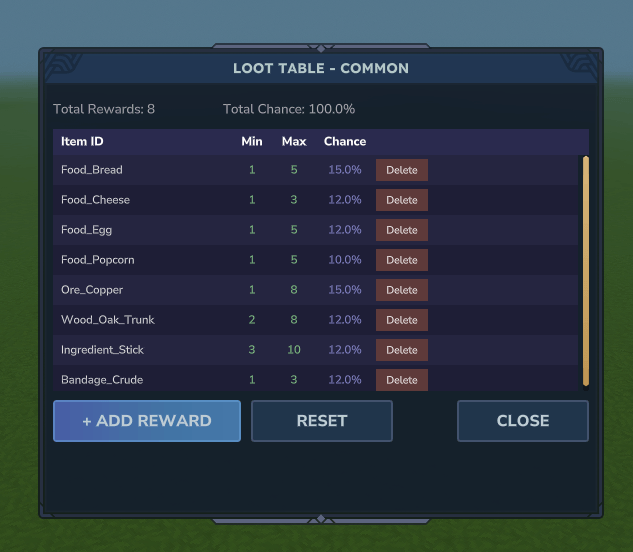
Beautiful in-game UI for configuring loot tables
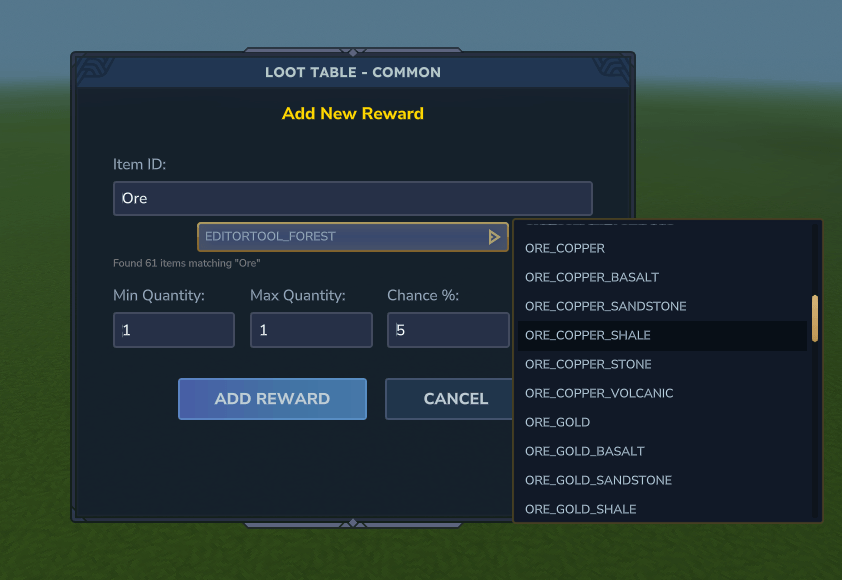
Add, edit, or remove rewards with a few clicks
Search through all available items with the built-in search bar
Set precise drop chances (percentage-based system)
View all player balances in a dedicated admin panel
Persistent Storage
All configurations saved to JSON files
Player balances saved per-player (UUID-based)
Automatic saving on server shutdown
Easy to backup and transfer between servers
Commands
Player Commands
Command Description
/lootchest <rarity> Opens a loot chest of the specified rarity
/lc <rarity> Alias for /lootchest
/lootbalance Shows your loot chest balance for all rarities
/lb Alias for /lootbalance
Admin Commands
Command Permission Description
/lootgive <player> <rarity> <amount> lootchest.admin Give loot chests to a player
/lg <player> <rarity> <amount> lootchest.admin Alias for /lootgive
/lootadmin <rarity> lootchest.admin Open the loot table configuration UI
/lootbalances lootchest.admin View all player balances in a UI
/lbs lootchest.admin Alias for /lootbalances
/lootbalance <player> lootchest.admin View another player's balance
Permissions
Permission Description
lootchest.admin Access to all admin commands (give chests, configure loot tables, view all balances)
Note: Opening loot chests (/lootchest) requires no permission - players just need to have chests in their balance.
Configuration
Loot Table Files
Located in plugins/LootChestPlugin/:
lootchest_common.json lootchest_uncommon.json lootchest_rare.json lootchest_epic.json lootchest_legendary.json
Loot Table Format
{ "rewards": [ { "itemId": "Food_Bread", "minQuantity": 1, "maxQuantity": 5, "chance": 15.0 }, { "itemId": "Ore_Iron", "minQuantity": 1, "maxQuantity": 3, "chance": 10.0 } ] }
Player Balance Files
Located in plugins/LootChestPlugin/balances/:
<player-uuid>.json
Each file stores the player's username and their chest count per rarity.
Installation
Download the plugin JAR file
Place it in your Hytale server's plugins folder
Start/restart your server
Configure loot tables using /lootadmin <rarity> or edit the JSON files directly
Give players chests using /lootgive <player> <rarity> <amount>
Usage Example
As an admin:
/lootgive Steve common 10 → Gives Steve 10 Common loot chests /lootgive Steve legendary 1 → Gives Steve 1 Legendary loot chest /lootadmin rare → Opens the Rare tier configuration UI /lootbalances → View all player balances
As a player:
/lootbalance → Check your chest balance /lootchest common → Open a Common loot chest /lc legendary → Open a Legendary loot chest
Bug Reports & Suggestions
Found a bug or have a suggestion? Feel free to reach out!
Categories
Screenshots
Need a Server?
Run Loot Chest on a dedicated Hytale server with easy mod management.
Get Hytale HostingFrequently Asked Questions
What is Loot Chest?
A complete loot chest system with roulette-style animations, five rarity tiers, and full admin controls for Hytale servers
How do I download Loot Chest?
You can download Loot Chest for free from CurseForge. Click the "Download on CurseForge" button on this page to go directly to the download page.
Who created Loot Chest?
Loot Chest was created by gunter423. The mod has been downloaded 156 times.
Is Loot Chest compatible with Hytale servers?
Loot Chest is designed for Hytale and can be used on both single-player and multiplayer servers. Check the mod page on CurseForge for specific compatibility information.
How do I install Loot Chest?
To install Loot Chest: 1) Download the mod from CurseForge, 2) Place the file in your Hytale mods folder, 3) Restart the game. The mod should load automatically.
Related Gameplay Mods
View all mods
Wan's Wonder Weapons
WanMine
A collection of unique weapons for Hytale, new "relics" blending elemental power, dark magic, and a touch of absurdity!

Perfect Parries
narwhals
Adds a souls-like/RPG combat mechanic where if you block at the instant where you are supposed to take damage, you don't lose stamina, deflect some damage, and stun the attacker. This mod includes a stamina system similar to that of souls/RPG games.

Spellbook
DarkhaxDev
Powering your favorite mods with clean, reusable helpers and utilities.

RPG Leveling And Stats/Skills
Zuxaw_dev
An RPG leveling plugin for Hytale that adds experience points, leveling, stat allocation, and character progression with a GUI, HUD, competitive leaderboard system, and full multi-language translation support.

Lucky Mining
Buuz135
Get more ores from mining, the more you mine in a row, the more ores you get.

MMO Skill Tree
ziggfreed
(Multiple Languages) MMO Skill Tree adds an RPG-style progression system where every action you take helps you grow stronger.