PersonalLock
Protect chests, doors, trapdoors, and gates with PersonalLock! Create named locks, manage access permissions, and auto-merge double chests. Features admin bypass, owner name display, and persistent storage.
About PersonalLock
PersonalLock
Support Server - https://discord.gg/DRxwt8Qg2W
A comprehensive chest and door locking system for Hytale servers that allows players to secure their items and properties with customizable access control. Lock chests, doors, trapdoors, gates, and fence gates to protect your belongings.
Key Features
Core Functionality
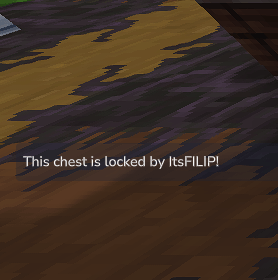
- Lock Chests & Doors - Protect your belongings by locking any chest, door, trapdoor, gate, or fence gate in your world - Named Locks - Give your locks custom names for easy identification (e.g., "My Storage", "Front Door") - Owner System - Each lock has an owner who has full control over access permissions - Double Chest Support - Automatically detects and merges double chests under a single lock when the same player places both halves - Persistent Storage - All lock data is saved in JSON format and persists across server restarts - Cross-World Support - Works across all worlds on your server - Owner Name Display - Shows the lock owner's name when players try to access locked blocks
Access Control
- Owner Access - Lock owners can always access their locked blocks - Allowed Players - Grant specific players access to your locks through the admin panel - Permission System - Locked blocks are protected from all players except owners and allowed players - Admin Bypass - Admins with personallock.admin permission can toggle bypass mode to access any locked block
Protection Features
- Break Protection - Non-owners cannot break locked chests, doors, or their supporting blocks - Placement Protection - Prevents other players from placing chests next to your locked chests (which could create unauthorized double chest access) - Support Block Protection - When owners break support blocks under locked chests, the locks are automatically deleted to prevent floating blocks - Cascade Deletion - Automatically removes locks when stacked chests lose their support and fall
User Interface
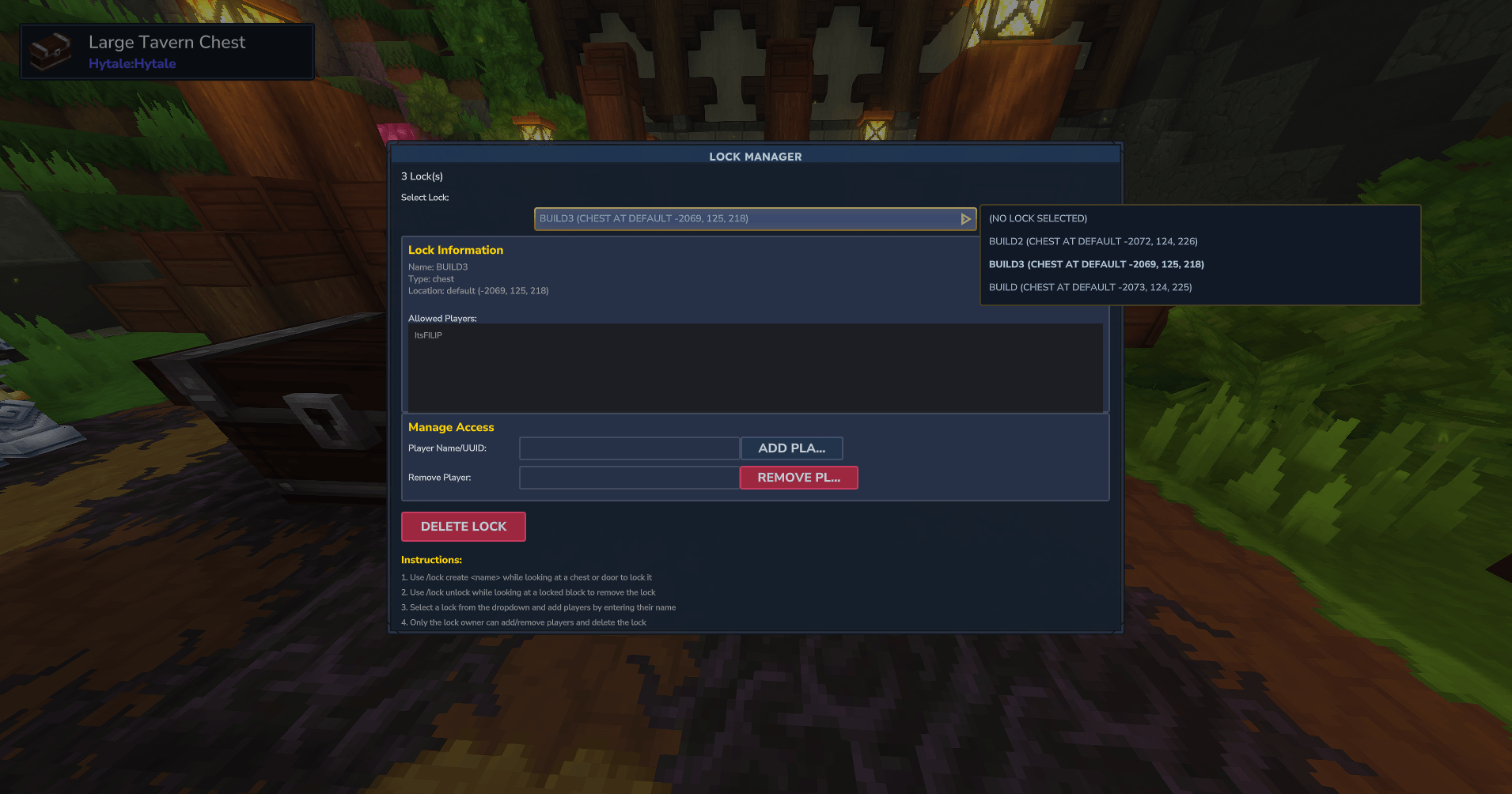
Admin Panel - Beautiful, intuitive GUI for managing locks - View all your locks in an organized list - Add or remove allowed players from locks - Edit lock names - Delete locks - See lock details (owner, block type, world, coordinates)
Advanced Features
- Automatic Double Chest Merging - When a player places a chest next to their own locked chest, both halves are automatically merged under the same lock ID - 2-Position Limit - Ensures locks only cover single or double chests (prevents infinite expansion) - Position Tracking - Supports multiple positions per lock (for double chests) - Cross-Player Protection - Prevents players from locking individual halves of a double chest if the other half is locked by another player - Smart Lock Detection - Automatically detects when unlocked chests form double chests with locked ones and merges them (same owner only) - Graceful Error Handling - Prevents crashes and provides clear error messages
Commands
Command: /lock Description: Opens the lock management GUI Permission: None (players can manage their own locks)
Command: /lock create <name> Description: Locks the block you're looking at with a custom name Permission: None
Command: /lock unlock or /lock remove Description: Unlocks the block you're looking at (must be the owner) Permission: None
Command: /lock admin or /lock bypass Description: Toggles admin bypass mode (access any locked block) Permission: personallock.admin
Quick Start
Creating a Lock
1. Look at the chest or door you want to lock 2. Run /lock create <name> (e.g., /lock create My Storage) 3. The block is now locked and only you can access it!
Managing Locks
1. Run /lock to open the admin panel 2. Select a lock from the list 3. Add allowed players by entering their names 4. Edit lock name or delete locks as needed
Double Chest Locking
1. Place and lock one chest: /lock create Storage 2. Place another chest next to it (must be you placing it) 3. Both chests are automatically merged under the same lock - no additional commands needed!
Admin Bypass
1. Run /lock admin to toggle bypass mode 2. When enabled, you can access and break any locked block 3. Run /lock admin again to disable bypass mode
Perfect For
- Survival Servers - Let players secure their items and builds - Towny/Faction Servers - Protect chests within your territory - Economy Servers - Secure valuable storage and shops - Roleplay Servers - Lock doors to create private areas - Public Servers - Give players control over their property - SMP Servers - Essential protection plugin for multiplayer worlds
Use Cases
Personal Storage - Lock your chests with descriptive names like "Weapons", "Food Storage", "Materials" - Share access with trusted friends or faction members - Protect valuable items from theft
Base Security - Lock entrance doors to your base - Prevent unauthorized access to private areas - Create secure rooms for important resources
Shared Storage - Lock a chest and add multiple players as allowed - Perfect for team storage or faction resources - Easy management through the admin panel
Double Chest Protection - Lock one half of a double chest - both halves are automatically protected - No need to manually lock both positions - Prevents other players from creating unauthorized double chests
Created by Hyronix | https://hyronix.eu/
Categories
Screenshots
Need a Server?
Run PersonalLock on a dedicated Hytale server with easy mod management.
Get Hytale HostingFrequently Asked Questions
What is PersonalLock?
Protect chests, doors, trapdoors, and gates with PersonalLock! Create named locks, manage access permissions, and auto-merge double chests. Features admin bypass, owner name display, and persistent storage.
How do I download PersonalLock?
You can download PersonalLock for free from CurseForge. Click the "Download on CurseForge" button on this page to go directly to the download page.
Who created PersonalLock?
PersonalLock was created by Hyronix. The mod has been downloaded 1.2K times.
Is PersonalLock compatible with Hytale servers?
PersonalLock is designed for Hytale and can be used on both single-player and multiplayer servers. Check the mod page on CurseForge for specific compatibility information.
How do I install PersonalLock?
To install PersonalLock: 1) Download the mod from CurseForge, 2) Place the file in your Hytale mods folder, 3) Restart the game. The mod should load automatically.
Related Gameplay Mods
View all mods
Wan's Wonder Weapons
WanMine
A collection of unique weapons for Hytale, new "relics" blending elemental power, dark magic, and a touch of absurdity!

Perfect Parries
narwhals
Adds a souls-like/RPG combat mechanic where if you block at the instant where you are supposed to take damage, you don't lose stamina, deflect some damage, and stun the attacker. This mod includes a stamina system similar to that of souls/RPG games.

Spellbook
DarkhaxDev
Powering your favorite mods with clean, reusable helpers and utilities.

RPG Leveling And Stats/Skills
Zuxaw_dev
An RPG leveling plugin for Hytale that adds experience points, leveling, stat allocation, and character progression with a GUI, HUD, competitive leaderboard system, and full multi-language translation support.

Lucky Mining
Buuz135
Get more ores from mining, the more you mine in a row, the more ores you get.

MMO Skill Tree
ziggfreed
(Multiple Languages) MMO Skill Tree adds an RPG-style progression system where every action you take helps you grow stronger.